
Build a private CA and issue certificates
Source:
docs/guides/private-ca.md
Acme Example Ltd runs internal HTTPS services (portal.acme.example, a wiki, a VPN). It wants
its own CA, so that browsers and tools inside the company trust these services without a
public CA. This guide builds that CA and issues, renews and revokes certificates. Every step
shows the UI and then checks the result with openssl, keytool or curl.
Every step was run on a demo stack with release 3.15.0 (see Install PKI Manager and log in
to install one). You log in as an admin user. The user role can issue and download, but it
cannot create CAs or revoke.
PKI Manager creates root CAs only. Each root CA is its own trust anchor and signs end-entity certificates directly.
Used in the examples:
| What | Value |
|---|---|
| UI | http://localhost:47380 |
| API | http://localhost:47300 |
| CRL URL in certificates | http://localhost:47300/crl/<CA id>.crl (from CRL_DISTRIBUTION_URL) |
| Export password | Acme-Export-1 (you choose it in the Download dialog) |
Work in an empty folder. The commands below use the files ca.pem, portal.pem, and so on.
1. Create the root CA
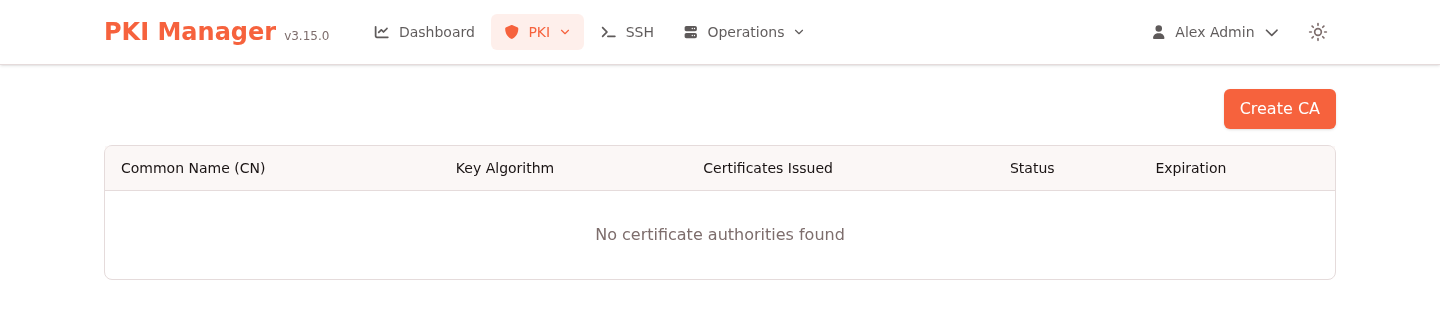
Section titled “1. Create the root CA”Open PKI > Certificate Authorities and select Create CA.
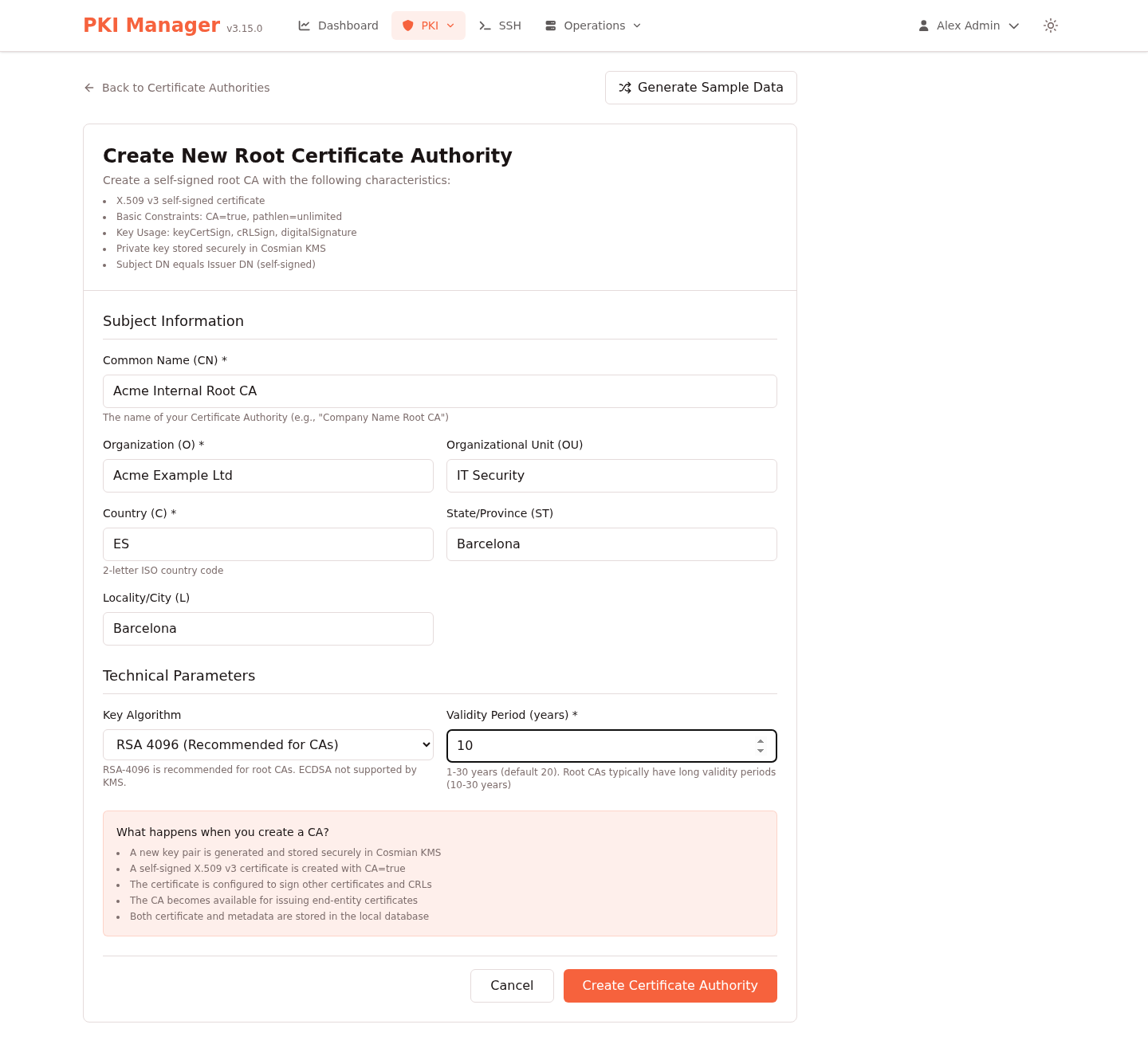
Fill the form. The fields marked * are required.
| Field | Value | Note |
|---|---|---|
| Common Name (CN) | Acme Internal Root CA |
max 64 characters |
| Organization (O) | Acme Example Ltd |
|
| Organizational Unit (OU) | IT Security |
optional |
| Country (C) | ES |
2 letters |
| State/Province (ST), Locality/City (L) | Barcelona |
optional |
| Key Algorithm | RSA 4096 (Recommended for CAs) |
the other choice is RSA 2048 |
| Validity Period (years) | 10 |
1 to 30, default 20 |
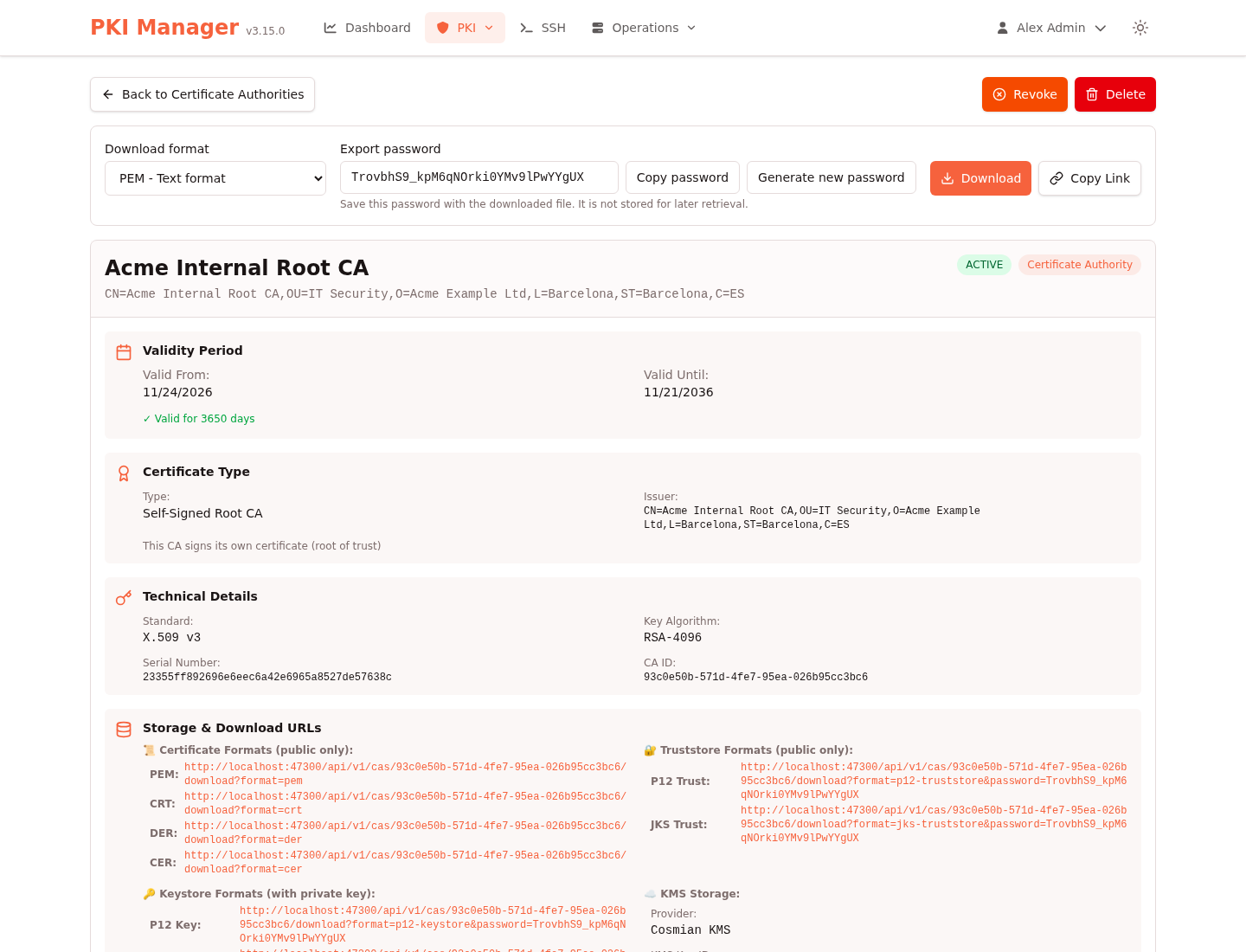
Select Create Certificate Authority. The key pair is made inside the Cosmian KMS. The CA page opens.
Check: download the CA certificate and read it
Section titled “Check: download the CA certificate and read it”The CA page has a Download format list. Keep PEM - Text format and select Download.
The file is Acme_Internal_Root_CA.pem. Save it as ca.pem.
openssl x509 -in ca.pem -noout -subject -issuer -dates -ext basicConstraints,keyUsagesubject=CN = Acme Internal Root CA, OU = IT Security, C = ES, ST = Barcelona, L = Barcelona, O = Acme Example Ltdissuer=CN = Acme Internal Root CA, OU = IT Security, C = ES, ST = Barcelona, L = Barcelona, O = Acme Example LtdnotBefore=Nov 24 09:57:44 2026 GMTnotAfter=Nov 21 09:57:44 2036 GMTX509v3 Basic Constraints: critical CA:TRUEX509v3 Key Usage: critical Certificate Sign, CRL Signsubjectequalsissuer: the CA is self-signed.CA:TRUEandCertificate Sign, CRL Sign: it can sign certificates and CRLs.- The key is RSA 4096 (
openssl x509 -in ca.pem -noout -textshowsPublic-Key: (4096 bit)).
Note: the form text lists
digitalSignaturein the CA key usage. The issued CA certificate has onlyCertificate Sign, CRL Sign.
Where to get the CA certificate later:
-
The CA page, as above. The same page has
CRT,DERandCERformats, and truststores (P12,JKS) for clients that need one. -
The REST API:
GET /api/v1/cas/<id>/download?format=pem. It needs a Bearer token (without it you get401). The answer is JSON; the certificate is base64 indata:Terminal window curl -s -H "Authorization: Bearer $TOKEN" \"http://localhost:47300/api/v1/cas/<CA id>/download?format=pem" | jq -r .data | base64 -d > ca.pemThe result is byte-for-byte the same as the UI download.
Give ca.pem to every client that must trust Acme services (system trust store, browser, curl --cacert).
2. Issue a server certificate
Section titled “2. Issue a server certificate”Open PKI > Certificates, select Issue Certificate, and fill the form.
| Field | Value |
|---|---|
| Certificate Authority | Acme Internal Root CA |
| Certificate Type | Server (TLS/SSL Web Server) |
| Common Name (CN) | portal.acme.example |
| Organization (O) / OU | Acme Example Ltd / Web Platform |
| Country (C) / State / Locality | ES / Barcelona / Barcelona |
| Key Algorithm | RSA 2048 (Standard) (also RSA 4096, ECDSA P-256, ECDSA P-384) |
| Validity Period (days) | 365 (maximum 825) |
| DNS Names | portal.acme.example, www.portal.acme.example (+ Add DNS Name adds a row) |
| IP Addresses | 127.0.0.1 (+ Add IP Address) |
The form also has an Email Addresses list, for S/MIME certificates.
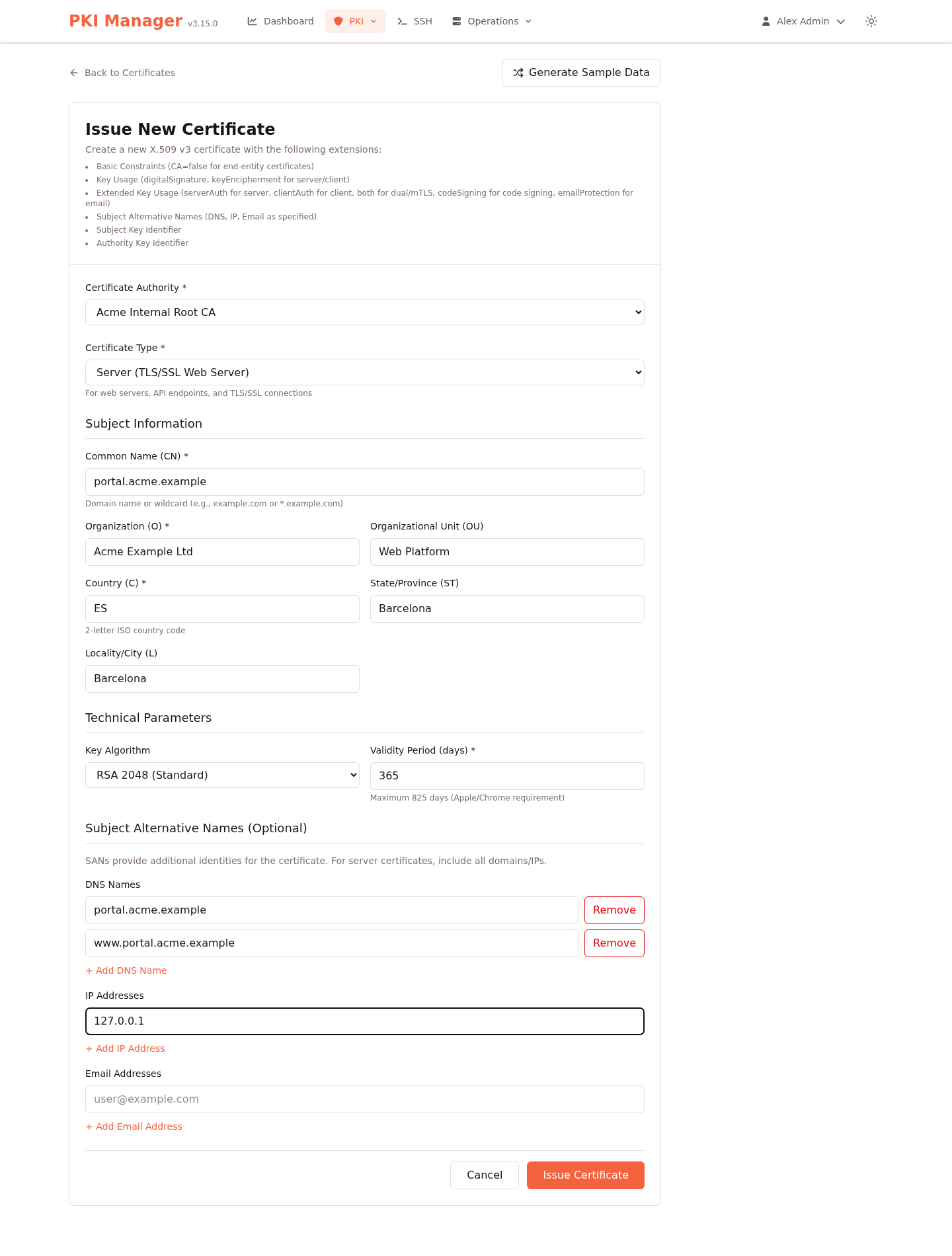
Important: put the CN in the DNS Names list too. The form does not copy the CN into the SAN list. Clients check the SAN, not the CN.
Select Issue Certificate. The certificate page opens.
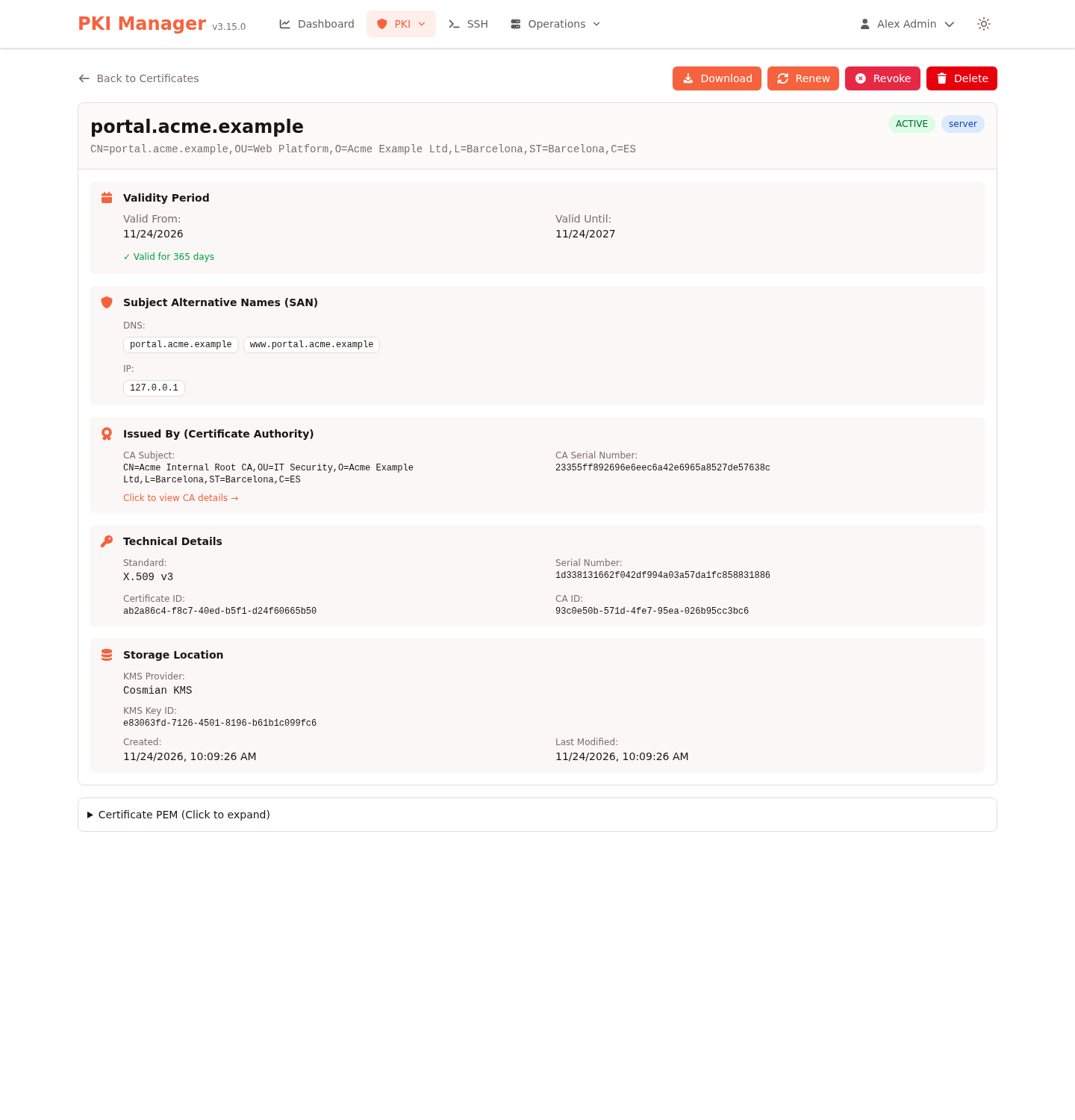
Screencast: issue a server certificate
Section titled “Screencast: issue a server certificate”The same flow for intranet.acme.example, about 15 seconds:
Check: download the certificate and inspect it
Section titled “Check: download the certificate and inspect it”On the certificate page select Download, choose PEM - Certificate only (ASCII), and
select Download. Save the file as portal.pem.
openssl x509 -in portal.pem -noout -subject -issuer -serial -dates \ -ext subjectAltName,extendedKeyUsage,keyUsage,basicConstraints,crlDistributionPointssubject=CN = portal.acme.example, OU = Web Platform, C = ES, ST = Barcelona, L = Barcelona, O = Acme Example Ltdissuer=CN = Acme Internal Root CA, OU = IT Security, C = ES, ST = Barcelona, L = Barcelona, O = Acme Example Ltdserial=0B5DDC8D87601CAF3273FDA9A8673C52E0F5F355notBefore=Nov 24 09:57:46 2026 GMTnotAfter=Nov 24 09:57:46 2027 GMTX509v3 Basic Constraints: critical CA:FALSEX509v3 Key Usage: critical Digital Signature, Key EnciphermentX509v3 Extended Key Usage: TLS Web Server AuthenticationX509v3 Subject Alternative Name: DNS:portal.acme.example, DNS:www.portal.acme.example, IP Address:127.0.0.1X509v3 CRL Distribution Points: Full Name: URI:http://localhost:47300/crl/eb46f8f5-379b-4d5a-892e-b3c92b5c6dcf.crlCheck the chain:
openssl verify -CAfile ca.pem portal.pemportal.pem: OKCA:FALSE: it is an end-entity certificate.- EKU
TLS Web Server Authentication: it is valid for servers only. - The CRL URL comes from
CRL_DISTRIBUTION_URL. Clients that check revocation use it (step 7).
3. Issue a client certificate
Section titled “3. Issue a client certificate”Use the same form with these changes:
| Field | Value |
|---|---|
| Certificate Type | Client (User Authentication) |
| Common Name (CN) | maria.puig (any user ID) |
| OU | Finance |
The other types are Dual (Server + Client mTLS), Code Signing and Email (S/MIME).
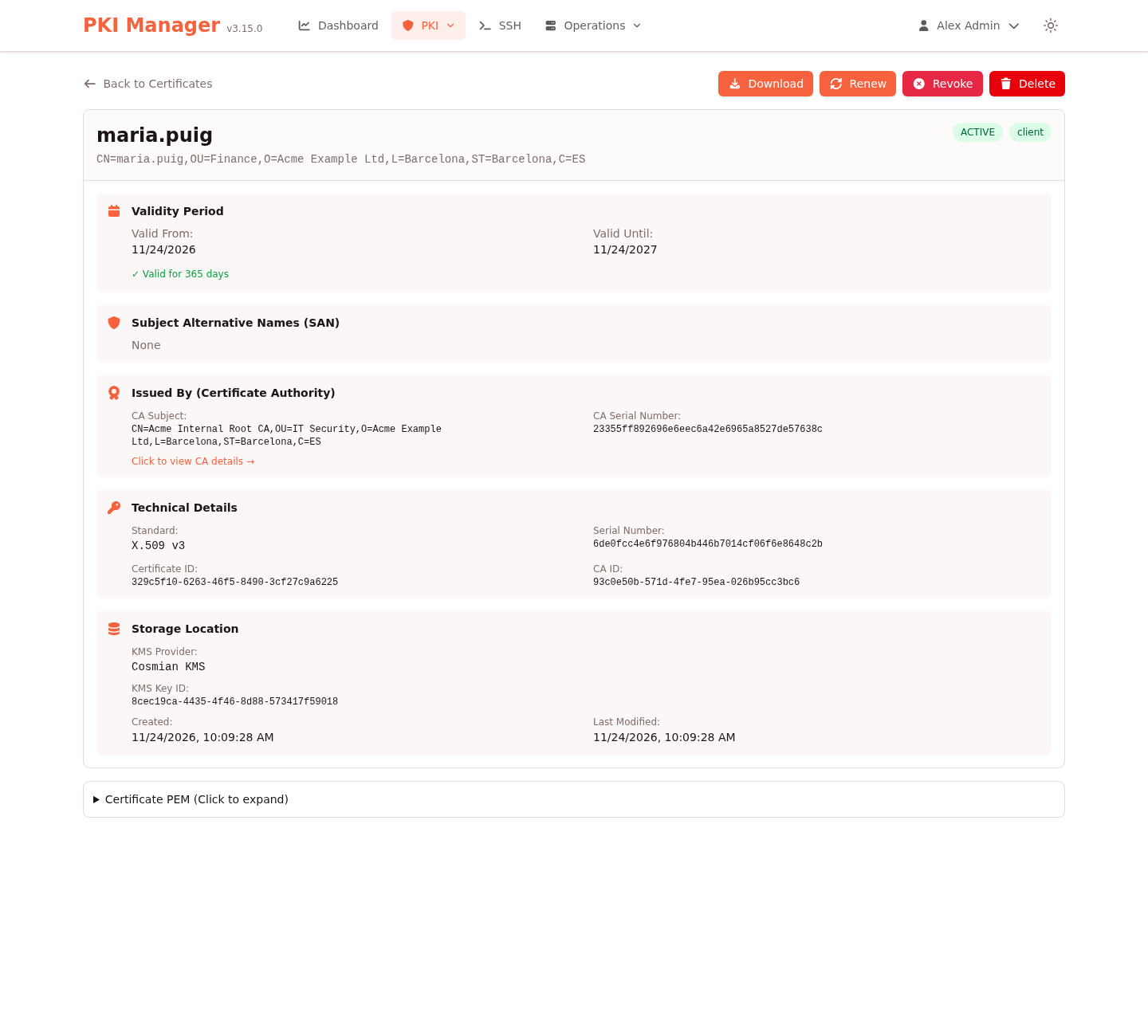
Check it. The REST download returns JSON with base64 in data:
curl -s -H "Authorization: Bearer $TOKEN" \ "http://localhost:47300/api/v1/certificates/<certificate id>/download?format=pem" \ | jq -r .data | base64 -d > client.pemopenssl x509 -in client.pem -noout -subject -ext keyUsage,extendedKeyUsageopenssl verify -CAfile ca.pem -purpose sslclient client.pemopenssl verify -CAfile ca.pem -purpose sslserver client.pemsubject=CN = maria.puig, OU = Finance, C = ES, ST = Barcelona, L = Barcelona, O = Acme Example LtdX509v3 Key Usage: critical Digital SignatureX509v3 Extended Key Usage: TLS Web Client Authenticationclient.pem: OKerror 26 at 0 depth lookup: unsupported certificate purposeerror client.pem: verification failedThe certificate works for client authentication and is rejected as a server certificate.
4. Download formats
Section titled “4. Download formats”On the server certificate page select Download.
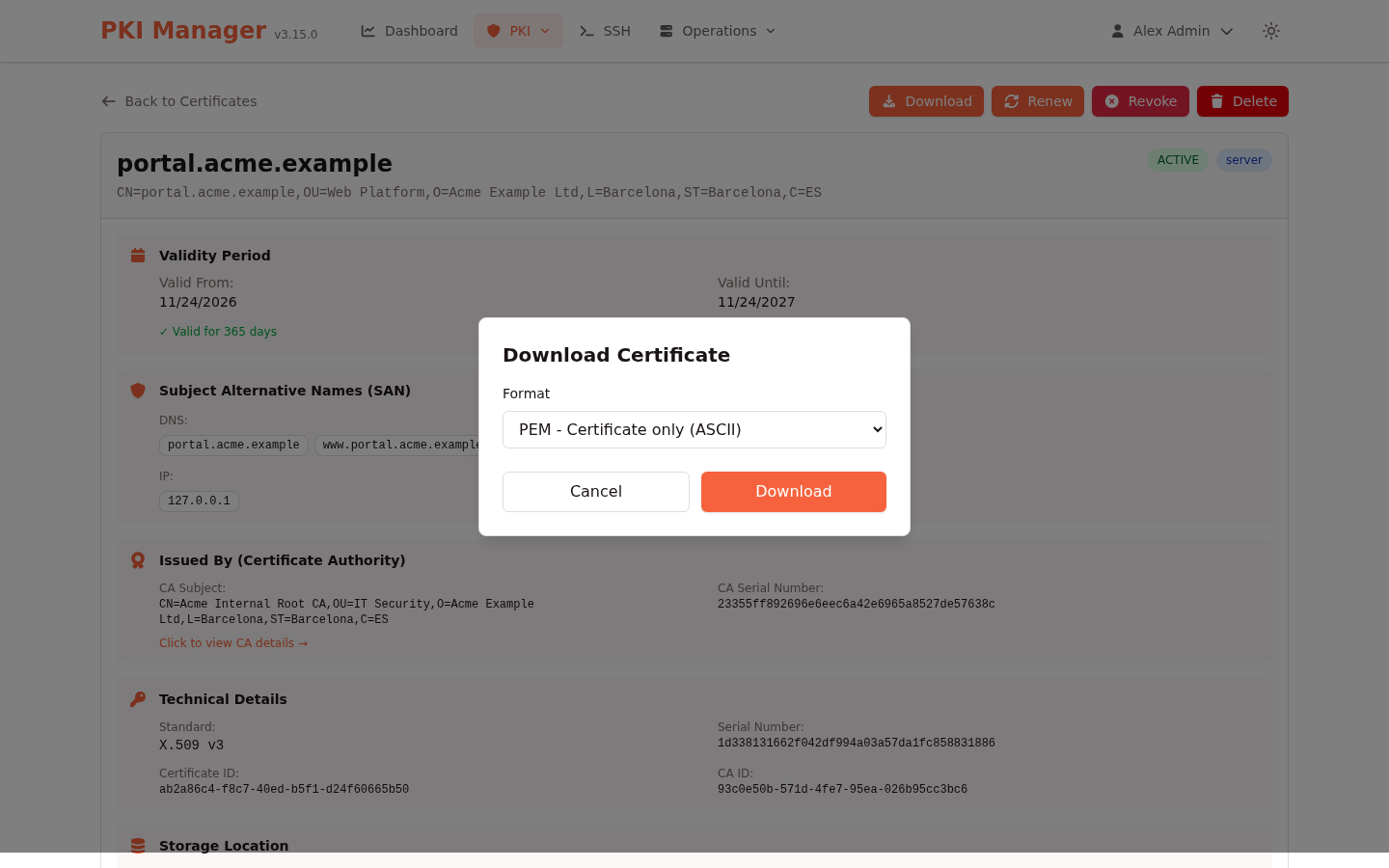
| Format | Content | Password |
|---|---|---|
PEM, CRT, DER, CER |
certificate only | no |
PEM Chain, PKCS#7, P7B |
certificate + CA | no |
PEM with Private Key |
ZIP with a .pem and a .priv file |
optional (checkbox) |
PKCS#12, PFX, P12 |
certificate + CA + private key | optional (checkbox) |
JKS Keystore |
certificate + private key, for Java servers | required |
JKS Truststore |
CA certificate only, for Java clients | required |
Docker Volume |
TAR for a Docker volume | optional (checkbox) |
All Formats |
everything in one ZIP | optional (checkbox) |
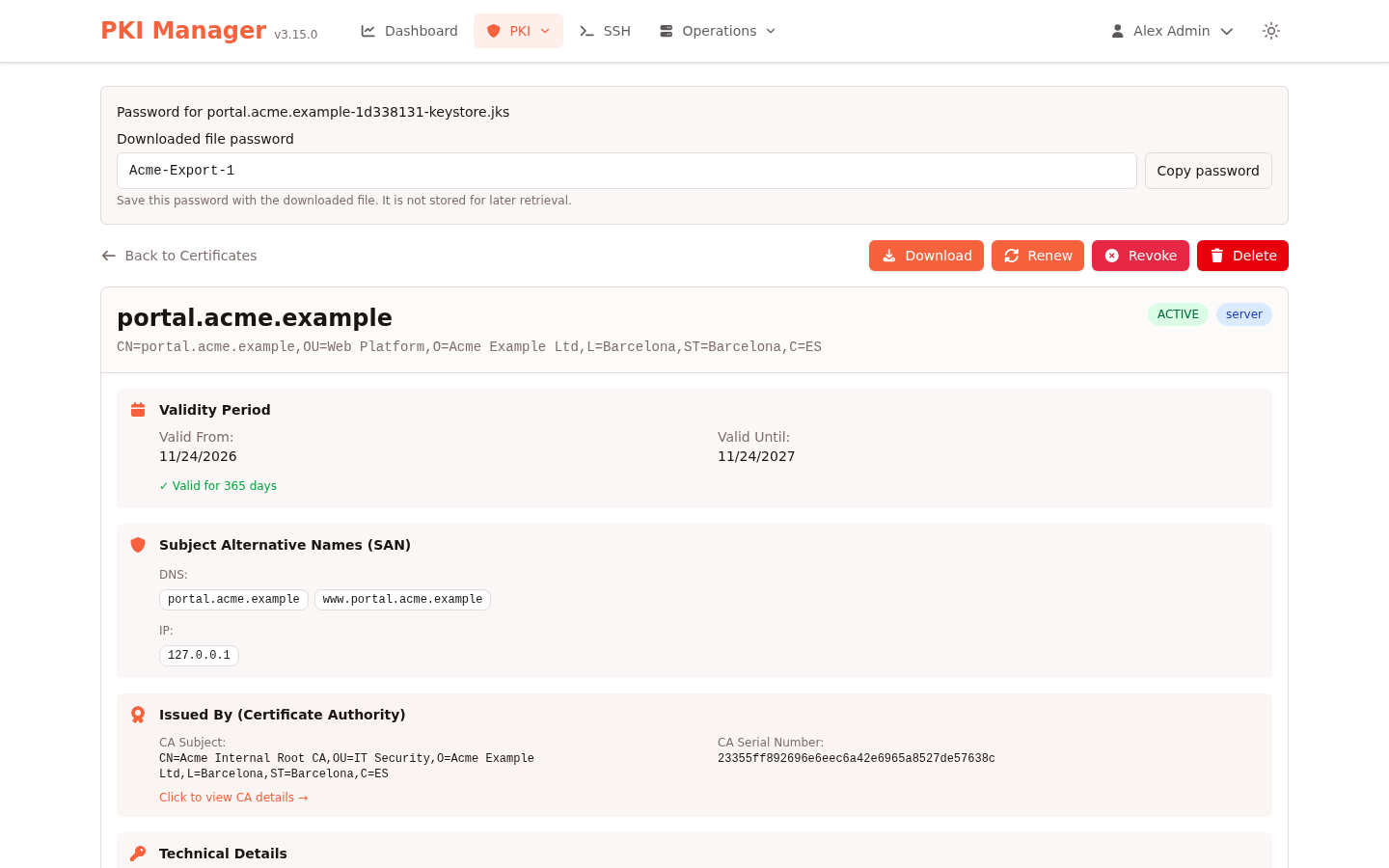
Formats with a private key ask for a confirmation (“This format includes the private key”). The password field is filled with a generated password. You can type your own (8 characters or more) or use Generate new password. The page shows it again after the download. It is not stored: save it with the file.
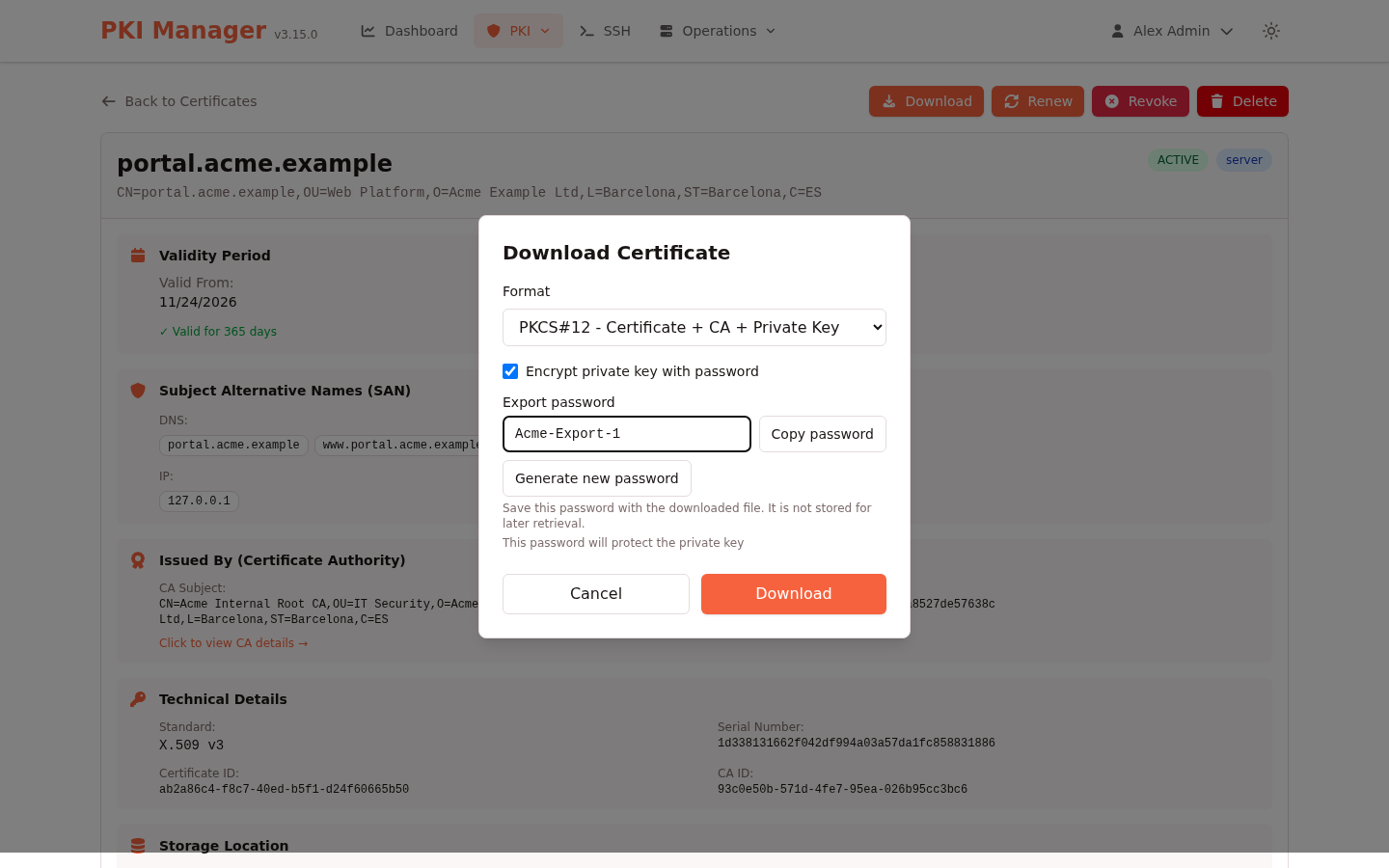
Download PKCS#12, PEM with Private Key and JKS Keystore with the password Acme-Export-1.
The files are named like portal.acme.example-0b5ddc8d.p12 (CN and the first 8 characters of
the serial). Rename them portal.p12, portal-key.zip and portal.jks.
Check: PKCS#12
Section titled “Check: PKCS#12”openssl pkcs12 -in portal.p12 -passin pass:Acme-Export-1 -info -nooutopenssl pkcs12 -in portal.p12 -passin pass:Acme-Export-1 -nokeys -clcerts | openssl x509 -noout -subject -serialMAC: sha1, Iteration 2048MAC length: 20, salt length: 8PKCS7 Encrypted data: pbeWithSHA1And3-KeyTripleDES-CBC, Iteration 2048Certificate bagCertificate bagPKCS7 DataShrouded Keybag: pbeWithSHA1And3-KeyTripleDES-CBC, Iteration 2048
subject=CN = portal.acme.example, OU = Web Platform, C = ES, ST = Barcelona, L = Barcelona, O = Acme Example Ltdserial=0B5DDC8D87601CAF3273FDA9A8673C52E0F5F355The file has two certificate bags (server + CA) and one encrypted private key (Shrouded Keybag).
Check: JKS
Section titled “Check: JKS”keytool -list -v -keystore portal.jks -storepass Acme-Export-1Keystore type: JKSYour keystore contains 1 entryportal.acme.example, Nov 24, 2026, PrivateKeyEntry,Alias name: portal.acme.exampleEntry type: PrivateKeyEntryCertificate chain length: 2Owner: O=Acme Example Ltd, L=Barcelona, ST=Barcelona, C=ES, OU=Web Platform, CN=portal.acme.exampleOwner: O=Acme Example Ltd, L=Barcelona, ST=Barcelona, C=ES, OU=IT Security, CN=Acme Internal Root CA(keytool also prints a warning that JKS is a proprietary format. The output above is trimmed.)
Check: PEM with private key
Section titled “Check: PEM with private key”unzip portal-key.zipopenssl pkey -in portal.acme.example-0b5ddc8d.priv -passin pass:Acme-Export-1 -pubout | openssl sha256openssl x509 -in portal.acme.example-0b5ddc8d.pem -noout -pubkey | openssl sha256SHA256(stdin)= 6f5d57b756b8809f560f31815f2f8fe0a5bdc6e100a185fdc25d815ce86f907dSHA256(stdin)= 6f5d57b756b8809f560f31815f2f8fe0a5bdc6e100a185fdc25d815ce86f907dThe ZIP has a .pem (certificate) and a .priv (key, BEGIN ENCRYPTED PRIVATE KEY). Both
hashes are equal: the key belongs to the certificate.
5. Use it: an HTTPS server
Section titled “5. Use it: an HTTPS server”Start a test TLS server with the certificate and the key from the ZIP:
openssl s_server -accept 48443 -www -cert portal.pem \ -key portal.acme.example-0b5ddc8d.priv -pass pass:Acme-Export-1In a second terminal, call it by name. --resolve maps the name to 127.0.0.1:
curl -sS -o /dev/null -w 'HTTP %{http_code}\nssl_verify_result=%{ssl_verify_result}\n' \ --cacert ca.pem --resolve portal.acme.example:48443:127.0.0.1 https://portal.acme.example:48443/HTTP 200ssl_verify_result=0Without the CA certificate the same call fails:
curl -sS -o /dev/null --resolve portal.acme.example:48443:127.0.0.1 https://portal.acme.example:48443/curl: (60) SSL certificate problem: unable to get local issuer certificateTwo more checks show that the SAN list is used:
curl -sS -o /dev/null -w 'HTTP %{http_code}\n' --cacert ca.pem https://127.0.0.1:48443/curl -sS -o /dev/null --cacert ca.pem --resolve other.acme.example:48443:127.0.0.1 https://other.acme.example:48443/HTTP 200curl: (60) SSL: no alternative certificate subject name matches target host name 'other.acme.example'The IP address works because it is in the SAN list. A name that is not in the list fails.
6. Renew a certificate
Section titled “6. Renew a certificate”Open the certificate page and select Renew. The Renew Certificate dialog states what renewal does and has two options, both off by default:
- Keep the current key pair (same public key). Only for certificates less than 90 days old. Off: renewal creates a new private key.
- Revoke the previous certificate (superseded). Off: the previous certificate stays active.
Leave both off for this guide and select Renew.
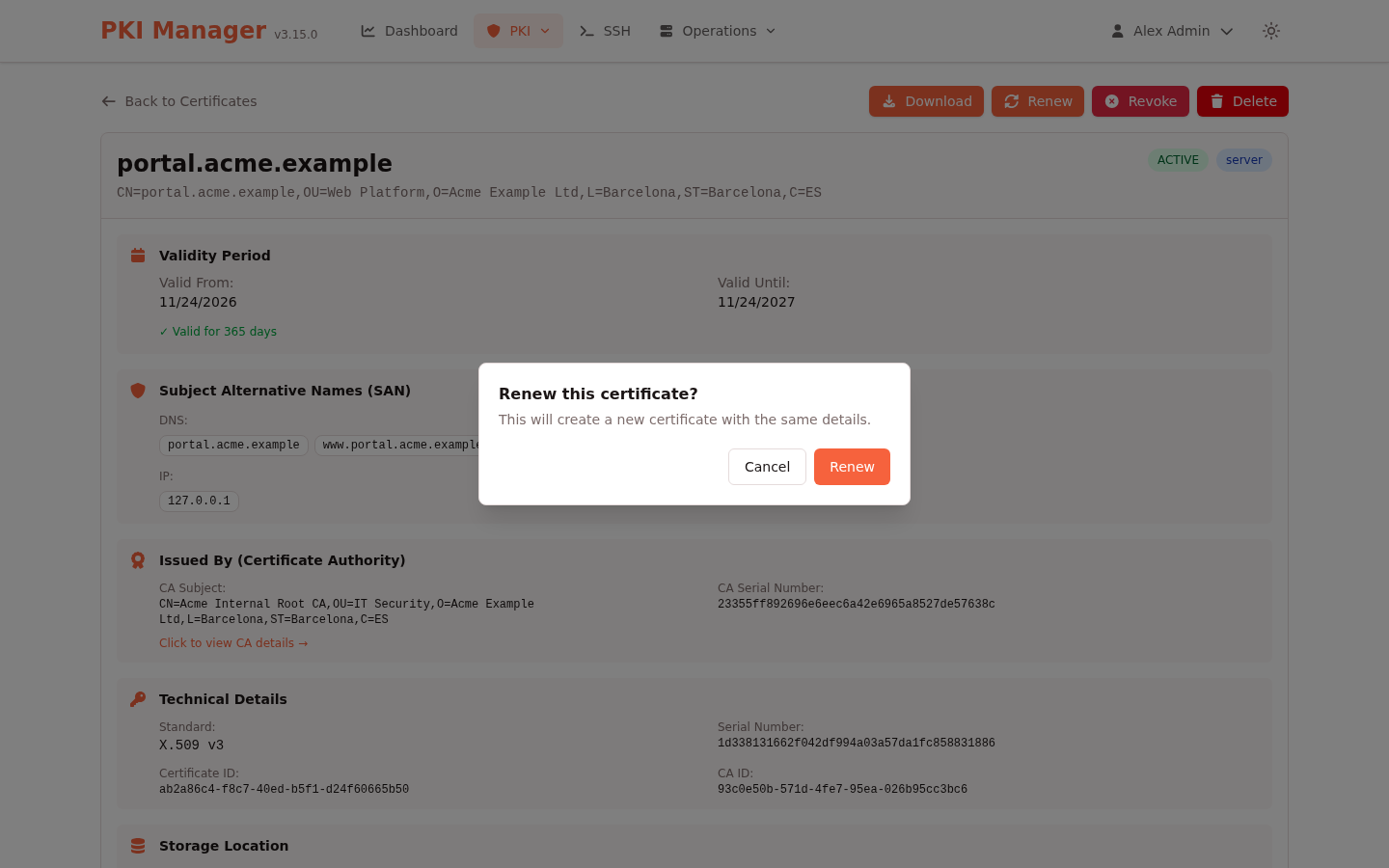
PKI Manager makes a new certificate with the same subject, SANs and validity length, and opens its page. A message shows the new ID.
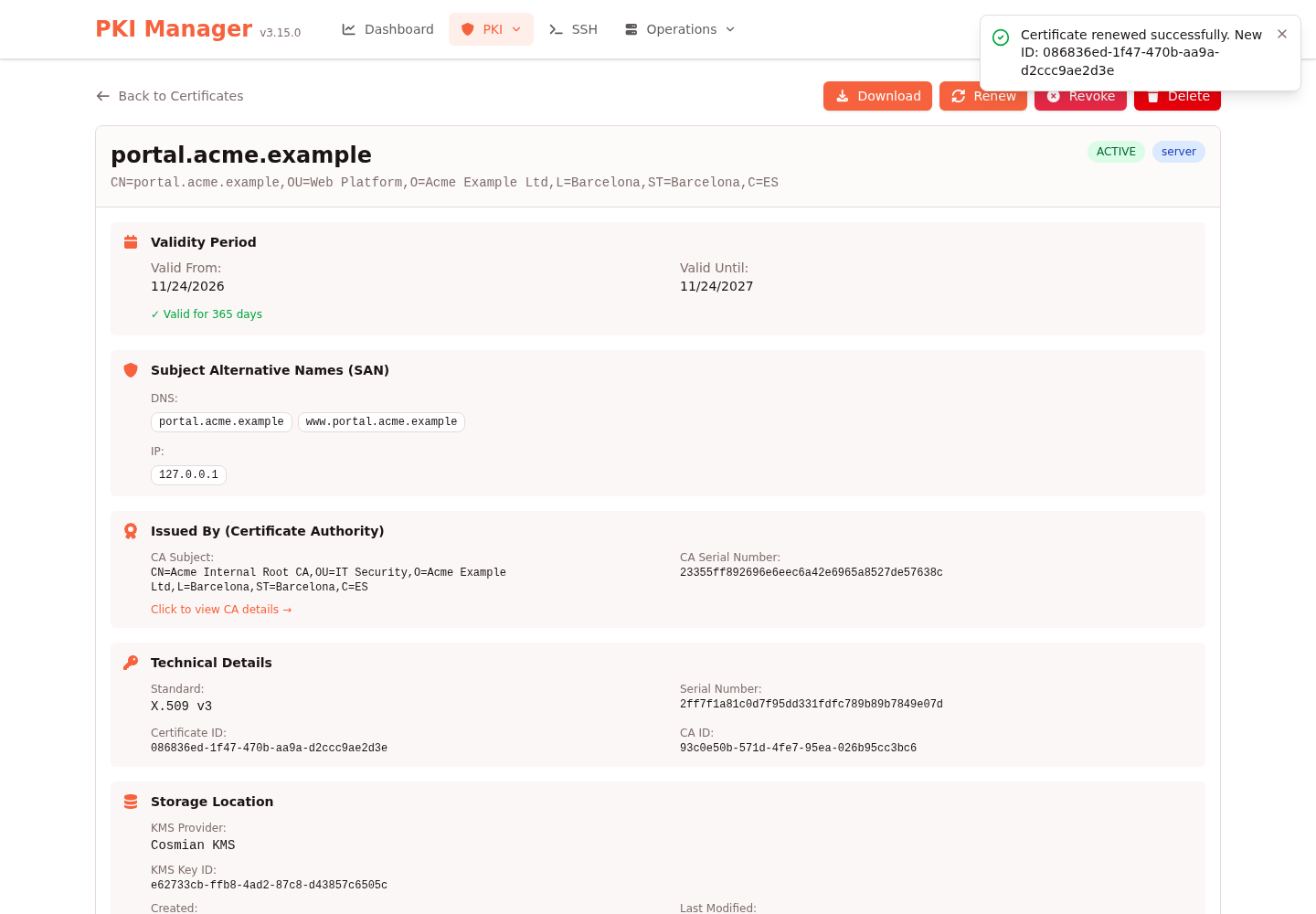
Download the renewed certificate (PEM, saved as portal2.pem) and compare:
for f in portal.pem portal2.pem; do echo $f; openssl x509 -in $f -noout -serial -dates; doneportal.pemserial=0B5DDC8D87601CAF3273FDA9A8673C52E0F5F355notBefore=Nov 24 09:57:46 2026 GMTnotAfter=Nov 24 09:57:46 2027 GMTportal2.pemserial=3941780C958BDD7E1975876E1AF01CBB3A5FBF46notBefore=Nov 24 10:02:38 2026 GMTnotAfter=Nov 24 10:02:38 2027 GMTWhat to know:
- The serial number is new, and the validity starts at the renewal time.
- The key is new too, because Keep the current key pair was off. The public keys of
portal.pemandportal2.pemdiffer. Install the new key together with the new certificate (downloadPEM with Private Keyagain). With the option on, the public key stays the same. - The old certificate stays active unless you select Revoke the previous certificate (superseded). Revoke it yourself when you no longer need it (step 7).
7. Revoke, end to end
Section titled “7. Revoke, end to end”Acme now uses the renewed certificate on the server. Restart s_server with portal2.pem and
its key (from portal2-key.zip), then revoke that certificate.
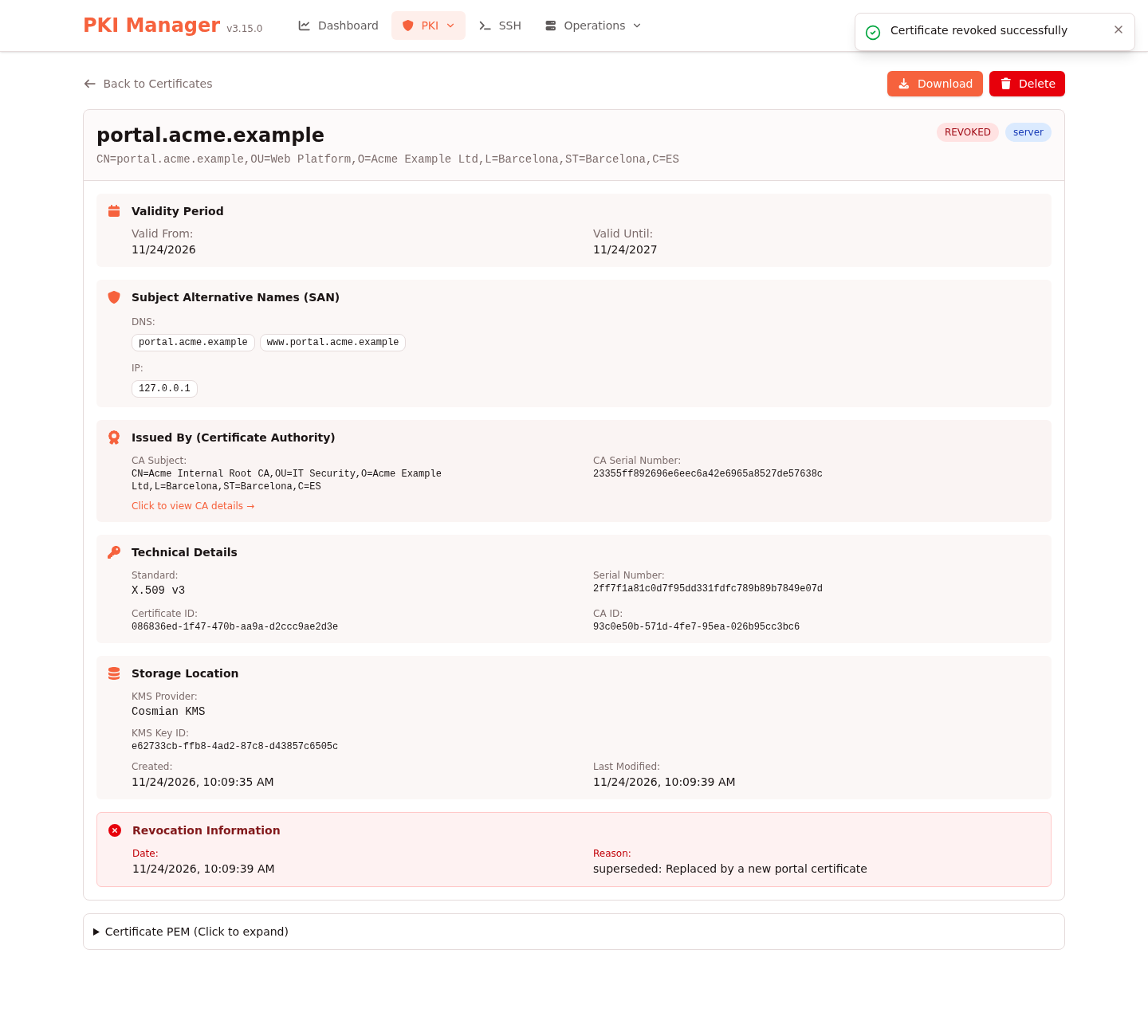
On the certificate page select Revoke. Choose a reason, add optional details (up to 500 characters), and select Revoke Certificate.
The reasons are: Unspecified, Key Compromise, CA Compromise, Affiliation Changed, Superseded, Cessation of Operation, Certificate Hold, Privilege Withdrawn.
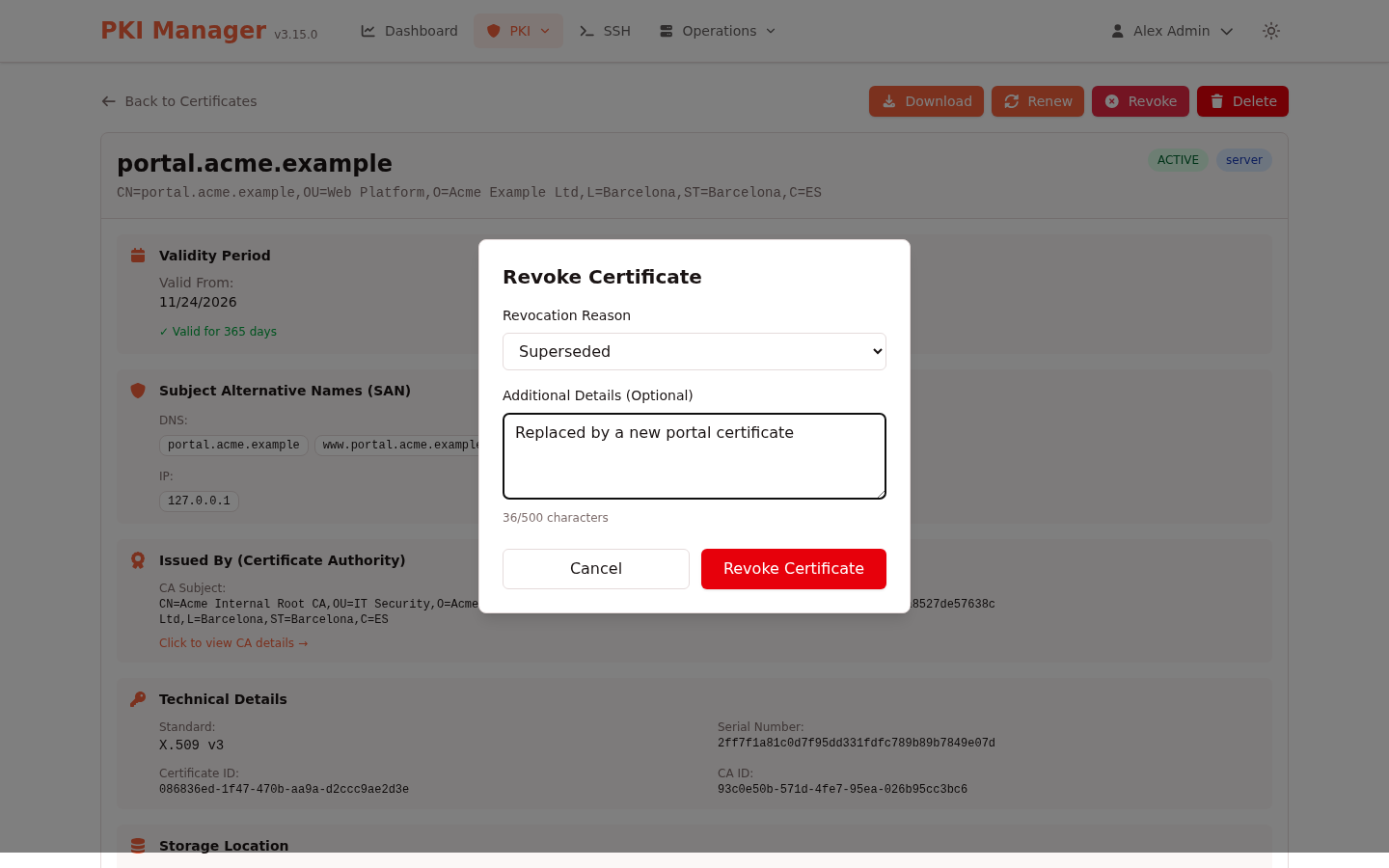
The page now shows REVOKED and the revocation date and reason. A revoked certificate has only
Download and Delete buttons.
Check: the CRL
Section titled “Check: the CRL”Fetch the CRL from the URL that is inside the certificate. No login is needed.
curl -s -o crl.pem -D - http://localhost:47300/crl/eb46f8f5-379b-4d5a-892e-b3c92b5c6dcf.crl | head -8openssl crl -in crl.pem -noout -textHTTP/1.1 200 OKcontent-type: application/x-pem-filelast-modified: Tue, 24 Nov 2026 10:03:16 GMTexpires: Tue, 01 Dec 2026 10:03:16 GMTcache-control: public, max-age=604793...Certificate Revocation List (CRL): Version 2 (0x1) Signature Algorithm: sha384WithRSAEncryption Issuer: CN = Acme Internal Root CA, OU = IT Security, C = ES, ST = Barcelona, L = Barcelona, O = Acme Example Ltd Last Update: Nov 24 10:03:16 2026 GMT Next Update: Dec 1 10:03:16 2026 GMT CRL extensions: X509v3 CRL Number: 1Revoked Certificates: Serial Number: 3941780C958BDD7E1975876E1AF01CBB3A5FBF46 Revocation Date: Nov 24 10:03:16 2026 GMT CRL entry extensions: X509v3 CRL Reason Code: SupersededThe CRL lists the serial of the renewed certificate (3941…FBF46) with the reason Superseded.
It is valid for 7 days (Next Update). The same URL with .der instead of .crl gives the CRL in DER format (application/pkix-crl).
Note: a CA has no CRL until its first revocation. Before it, the URL in the certificates answers
404(No CRL available for CA …). A client that must find a CRL (strict mode) fails until you revoke something.
Check: clients reject the revoked certificate
Section titled “Check: clients reject the revoked certificate”openssl verify -CAfile ca.pem -crl_check -CRLfile crl.pem portal2.pemCN = portal.acme.example, OU = Web Platform, C = ES, ST = Barcelona, L = Barcelona, O = Acme Example Ltderror 23 at 0 depth lookup: certificate revokederror portal2.pem: verification failedThe first certificate was not revoked, so it still passes:
openssl verify -CAfile ca.pem -crl_check -CRLfile crl.pem portal.pemportal.pem: OKNow connect to the running s_server (which serves portal2.pem). Without a CRL check the
connection is trusted. With the CRL it is not:
openssl s_client -connect 127.0.0.1:48443 -servername portal.acme.example -CAfile ca.pem \ -verify_hostname portal.acme.example </dev/null 2>&1 | grep -E "Verification|Verify return"openssl s_client -connect 127.0.0.1:48443 -servername portal.acme.example -CAfile ca.pem \ -crl_check -CRL crl.pem -verify_hostname portal.acme.example </dev/null 2>&1 | grep -E "verify error|Verify return"curl -sS -o /dev/null --cacert ca.pem --crlfile crl.pem \ --resolve portal.acme.example:48443:127.0.0.1 https://portal.acme.example:48443/Verification: OKVerify return code: 0 (ok)
verify error:num=23:certificate revokedVerify return code: 23 (certificate revoked)
curl: (60) SSL certificate problem: certificate revoked- Revocation is not checked unless the client has a CRL. A browser or
curlwithout--crlfilestill trusts the certificate. Distribute the CRL, or use software that downloads it. - With
openssl s_client, the option for the file is-CRL(not-CRLfile). In the test,-crl_downloadended withunable to get certificate CRL; usecurlto fetch the CRL and pass it with-CRL.
8. Bulk issuance
Section titled “8. Bulk issuance”For many certificates at once open PKI > Bulk operations (page “Bulk Certificate Creation”,
/certificates/bulk).
Fields:
| Field | Meaning |
|---|---|
| Certificate Authority | The CA that signs all rows (active CAs only). |
| Default Validity (days) | Used when a row has no validityDays (max 825). |
| CSV Data | One certificate per line, no header. |
The line format is:
certificateType,CN,O,C,SANs,validityDayscertificateType:server,client,dual,code_signingoremail.CN,OandC(2 letters) are required.SANsis optional: separate several values with;. A value with@is an email,X.X.X.Xis an IP address, anything else is a DNS name. Leave it empty for none.validityDaysis optional (the default applies when empty).
Example (the last row has a wrong country code on purpose):
server,crm.acme.example,Acme Example Ltd,ES,crm.acme.example;10.20.0.17,365server,helpdesk.acme.example,Acme Example Ltd,ES,helpdesk.acme.example,90client,anna.ferrer,Acme Example Ltd,ES,,365email,marc.vidal@acme.example,Acme Example Ltd,ES,marc.vidal@acme.example,365server,bad.acme.example,Acme Example Ltd,ESP,bad.acme.example,365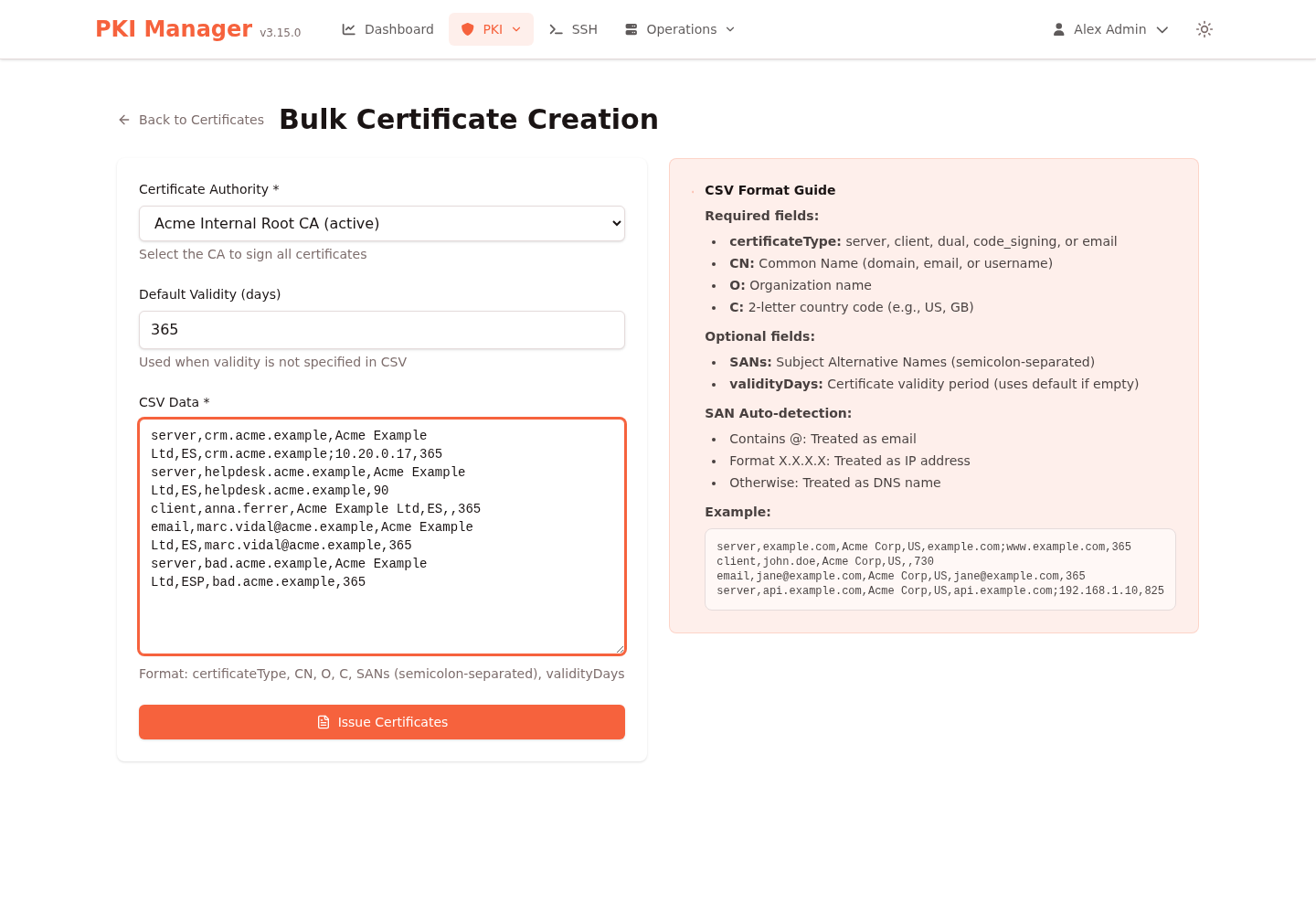
Select Issue Certificates. The Results box shows the number of successes and failures, and one entry per row: subject, serial and a View Certificate link, or the error.
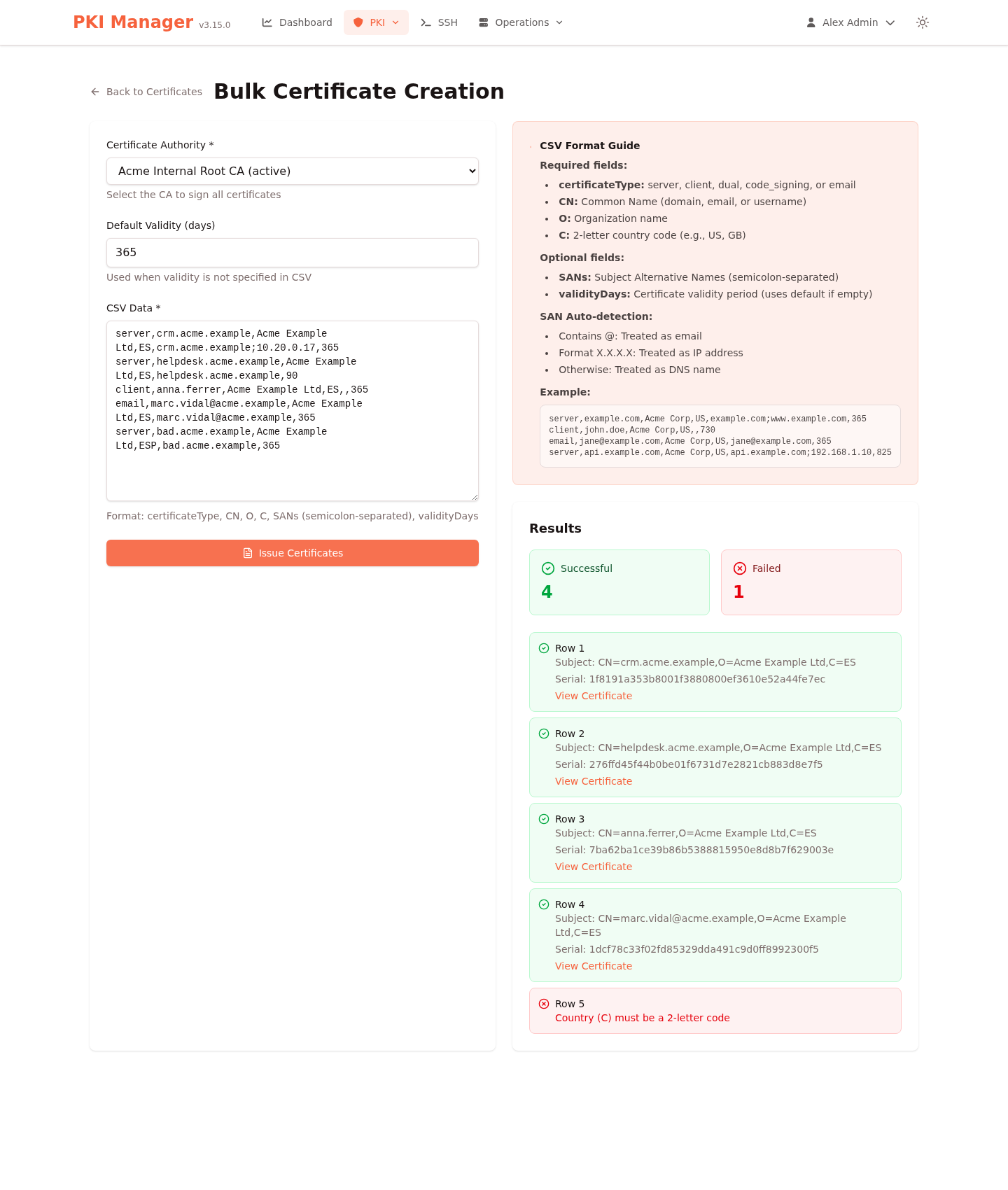
A failed row does not stop the others. Here rows 1 to 4 were issued and row 5 failed with
Country (C) must be a 2-letter code. Fix the row and send only that row again.
Note: bulk rows have no OU, ST or L. The subject has only CN, O and C. Use the single form (step 2) when you need the other fields.
9. Watch expiry
Section titled “9. Watch expiry”Short validity is normal for internal certificates. To see the monitoring, issue a certificate
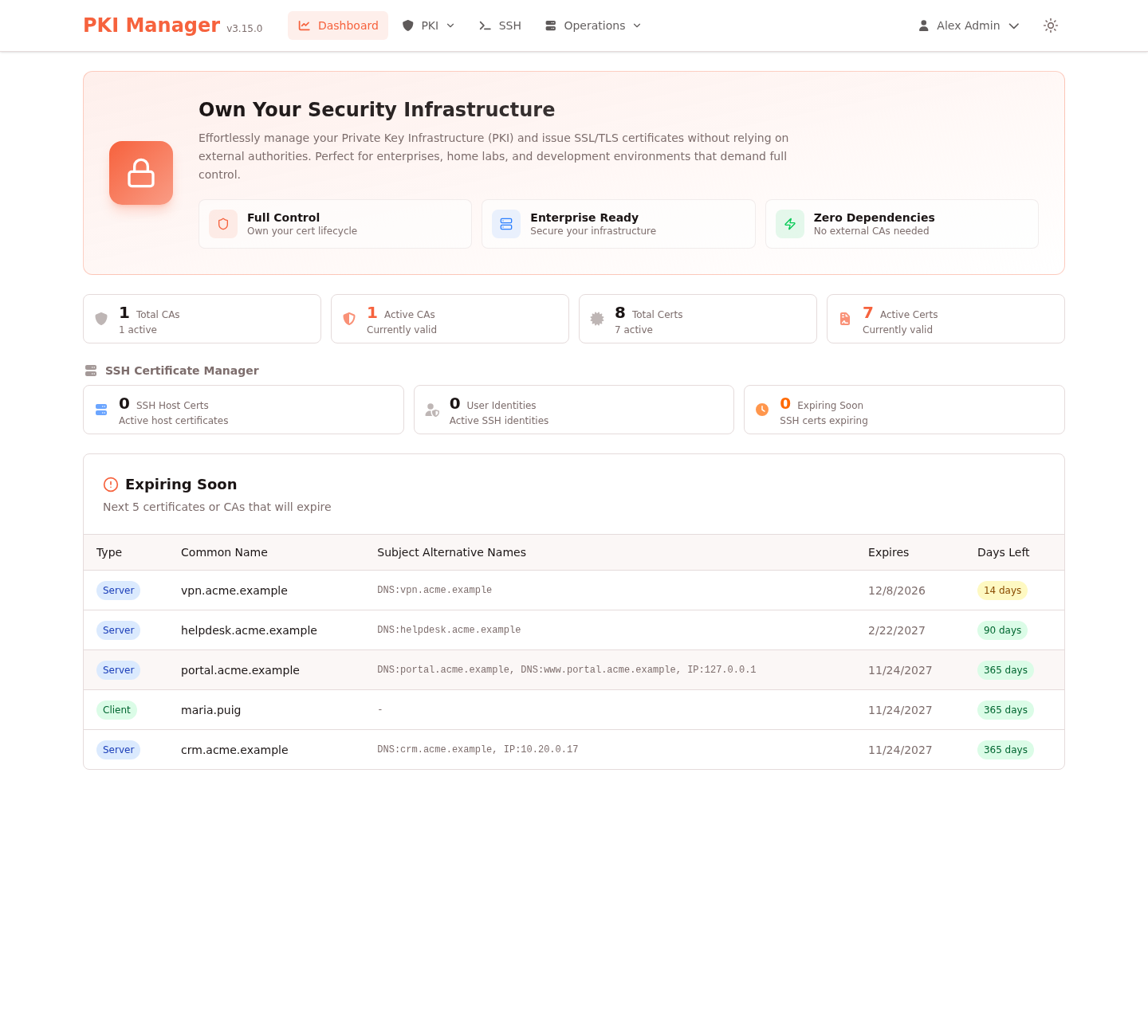
with a short validity. Here: vpn.acme.example, server type, validity 14 days.
Dashboard. The Expiring Soon table lists the next 5 certificates or CAs that expire, with type, CN, SANs, date and days left. The Days Left badge changes colour (green at 90 days, yellow at 30 and 14 days).
Certificate list (PKI > Certificates). The filters are:
| Filter | Values |
|---|---|
| Text box “Filter by CN or SAN…” | part of a CN or a SAN |
| CA list | All CAs or one CA |
| Status list | All Status, Active, Revoked, Expired |
| Type list | All Types, client, email, server |
Each row shows the status icon, the type icon, the expiry date with the days left
(14 days left is shown in orange), the CN, the SANs and the issuing CA.
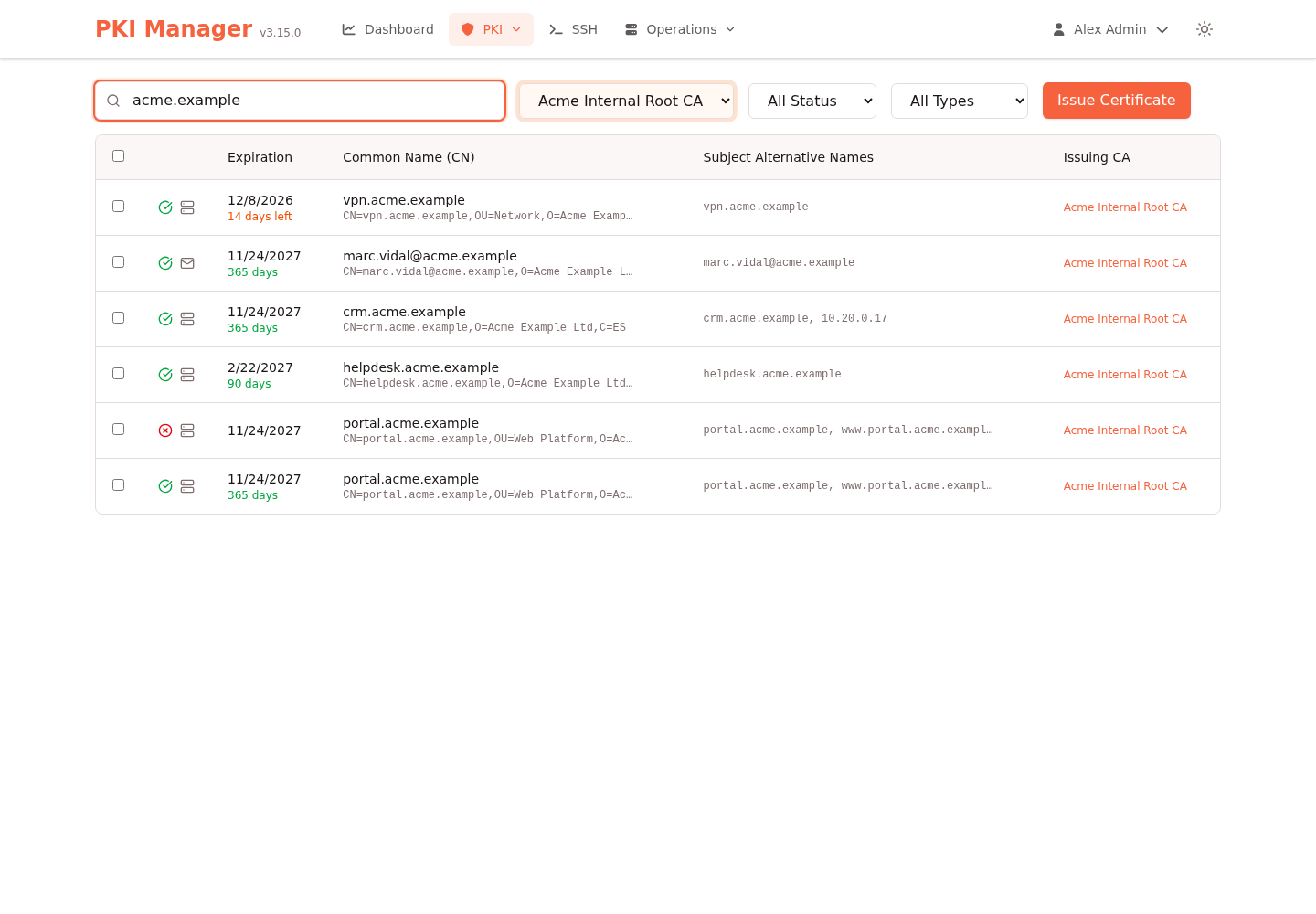
Choose Revoked in the status list to see the revoked certificates only:
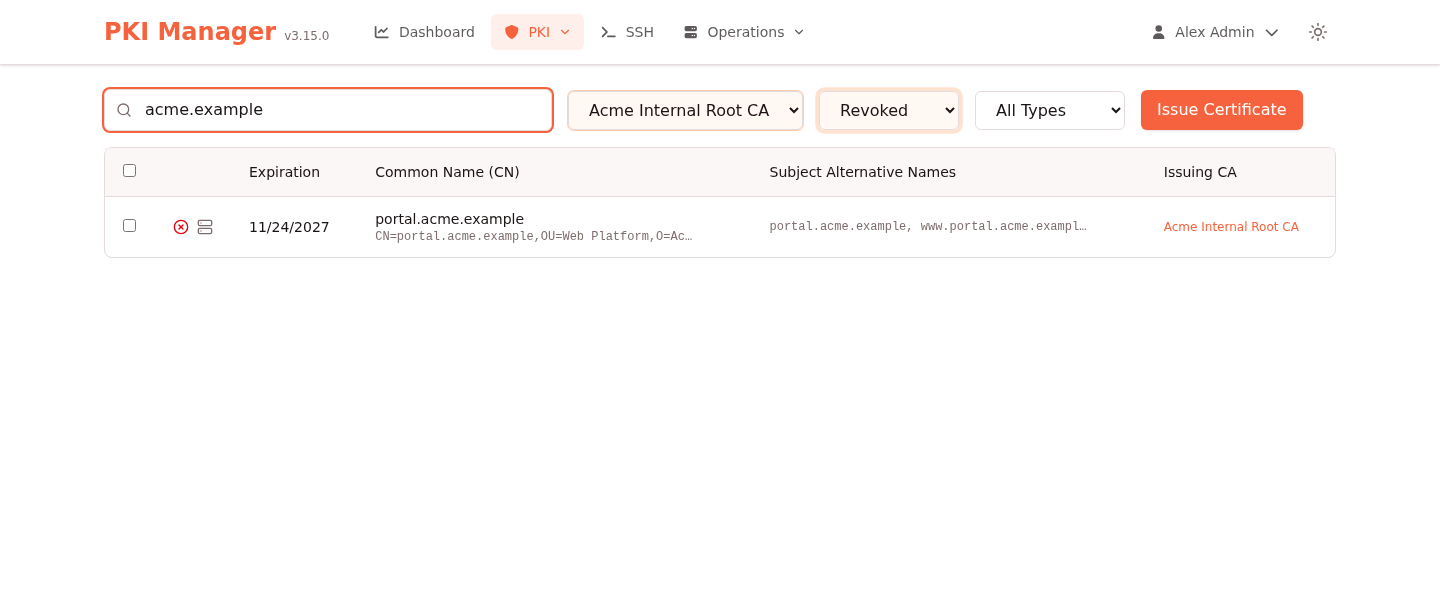
Note: a revoked certificate stays in the database. It can be deleted only after it has been revoked or expired for more than 90 days. A CA can be deleted only when it is revoked or expired.
Summary
Section titled “Summary”| Step | Result you checked |
|---|---|
| 1 Root CA | self-signed, CA:TRUE, Certificate Sign, CRL Sign, 10 years |
| 2 Server certificate | SAN (DNS + IP), EKU serverAuth, CRL URL, openssl verify OK |
| 3 Client certificate | EKU clientAuth, rejected for the server purpose |
| 4 Formats | PKCS#12, JKS and PEM+key open with the export password |
| 5 HTTPS | curl --cacert ca.pem works; without it, error 60 |
| 6 Renew | new serial, new dates, new key; old certificate still active |
| 7 Revoke | serial in the CRL; openssl verify, s_client and curl report certificate revoked |
| 8 Bulk | 4 issued, 1 rejected with a clear error |
| 9 Expiry | dashboard and list filters show the 14-day certificate |
Source of the screenshots and the screencast: docs/site/demo/shots/02-private-ca.spec.ts.