
Automate issuance: integrations, tokens and SCEP
Source:
docs/guides/integrations.md
This guide shows how a machine, not a person, gets certificates from PKI Manager. Every command and screenshot below was run against a demo stack with release 3.15.0. Output is trimmed. Ids, serials and dates are examples; yours differ.
The reference for every endpoint is docs/api/integrations.md. This guide is the task-oriented companion: read it first, then use the reference.
Parts:
- Create a service identity and a scoped token
- Sign a CSR with the external issuer API
- See a policy rejection and its audit row
- Rotate and revoke a token
- Enroll a device with SCEP
You need a running stack (see Install PKI Manager and log in), an admin
login, and curl, jq and openssl. The examples use these variables:
API=http://localhost:47300 # backend origin, no /api/v1B=$API/api/v1/external # external issuer baseTwo CAs exist in the demo: Integrations Demo Issuing CA (parts 1 to 4) and
Integrations Demo Device CA (part 5). Both are RSA-4096 root CAs, created as in Build a private CA.
1. Create a service identity and a scoped token
Section titled “1. Create a service identity and a scoped token”An integration is a service identity. It has:
- a type:
Generic,Kubernetes cert-managerorSCEP / MDM; - one bound CA: it can issue only from this CA;
- one service token (
pkimg_...), shown once.
Only users with the admin role can create or revoke integrations. Any logged-in user can
list them.
Steps:
-
Open Operations, then Integrations.
-
Select Add Integration.
-
Set Type to
Generic, Name toIntegrations Demo CI, and Bound CA to the issuing CA. Description is optional.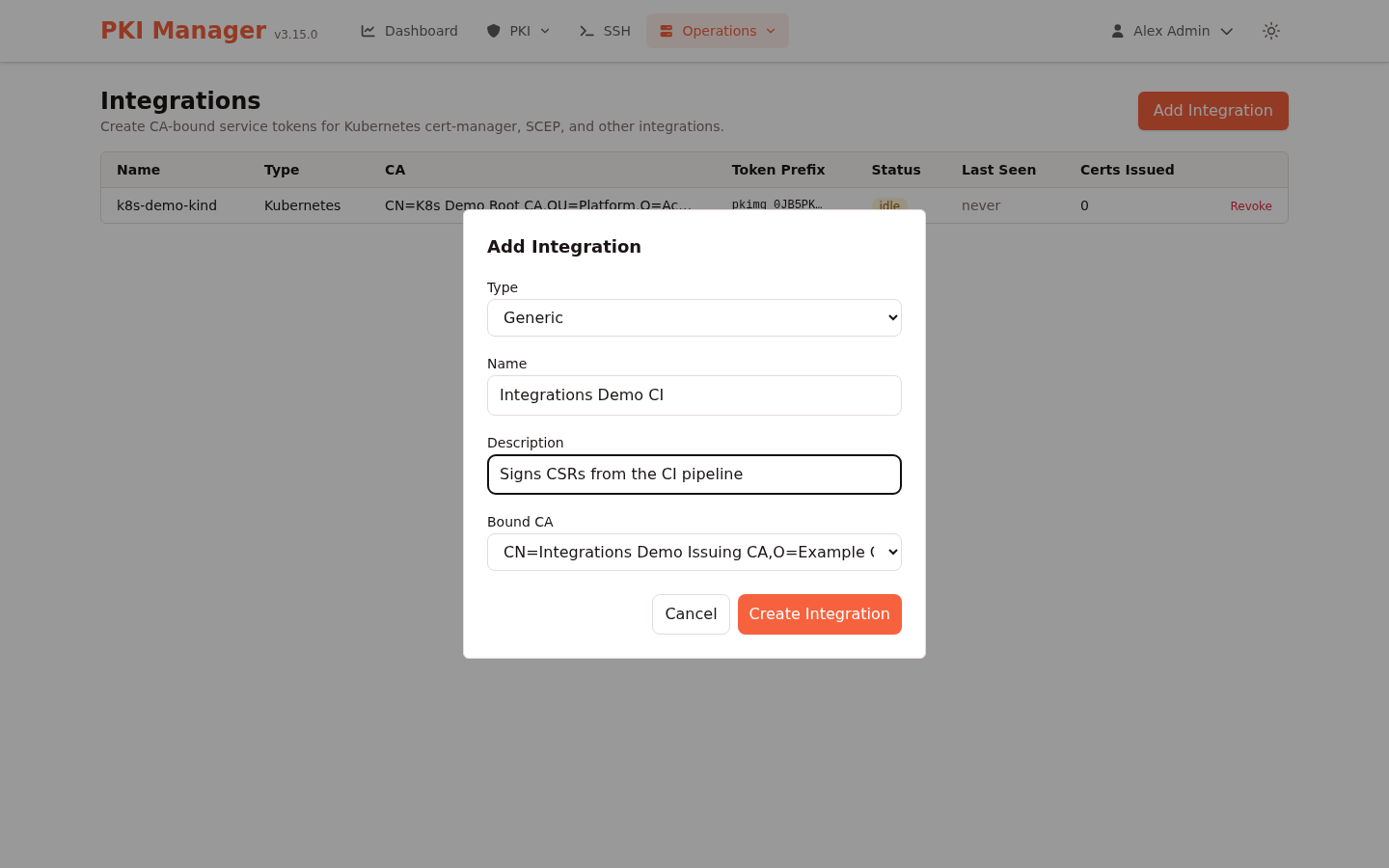
-
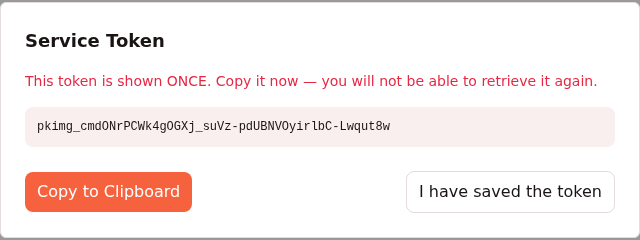
Select Create Integration. The token appears once.
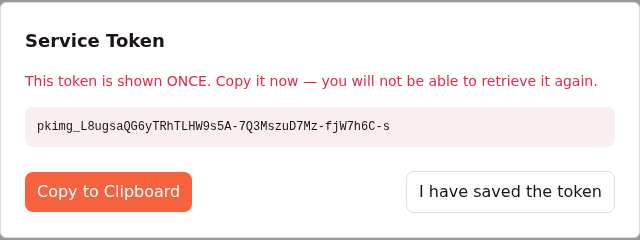
-
Copy the token to your secret store, then select I have saved the token.
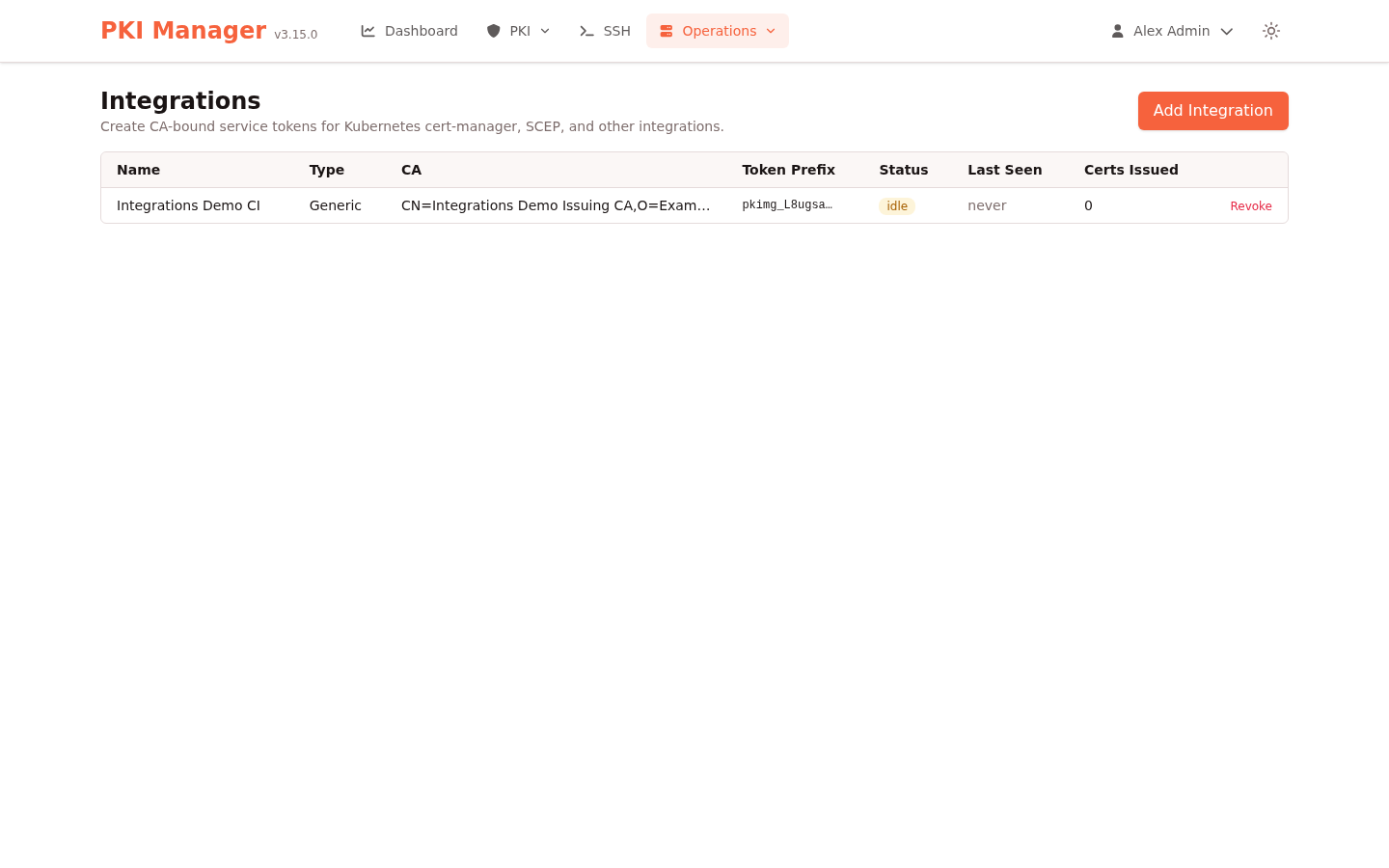
The list never shows the token again, only its prefix. The status is idle until the token is
used for the first time, then active.
Store the token in a variable for the next steps (do not put it in shell history on a shared host):
TOKEN=pkimg_... # the token from step 4What the token can do
Section titled “What the token can do”The token is not an OIDC login. It works only on /api/v1/external.
curl -s $B/health -H "Authorization: Bearer $TOKEN" | jq '{status, integration}'{ "status": "ok", "integration": { "id": "3be26e02-47ad-4b30-ab69-86f9294827f1", "name": "Integrations Demo CI", "caId": "74b59b95-c98a-49d9-b444-aff318f6f4a5", "kind": "generic" }}| Call | Result with the token |
|---|---|
GET /health |
200, shows the identity and its CA |
GET /ca-bundle |
200, CA certificate of the bound CA |
POST /sign |
200, signs a CSR with the bound CA |
GET /certificate-status/{serial} |
200, {"active": true} or false |
POST /revoke |
200 for certificates this integration issued |
What the token cannot do
Section titled “What the token cannot do”| Call | Real result |
|---|---|
| Any call without a token | 401 Missing or invalid Authorization header |
Management tRPC, for example integration.list |
401 Invalid token |
Management REST, for example GET /api/v1/certificates |
401 Invalid token |
GET /external/ra/state on a generic integration |
403 RA operations require a SCEP integration |
POST /revoke for a certificate another integration issued |
403 Integration cannot revoke a certificate it did not issue |
GET /certificate-status/{serial} for a certificate it does not own |
200 {"active":false} (it does not reveal the certificate) |
Create an integration as a non-admin user (uma) |
tRPC error Admin role required |
The token is bound to one CA. It cannot choose another CA, and it cannot read private keys: private keys stay in the KMS.
Note: the token is a secret. Anyone who has it can get certificates from the bound CA, inside the policy of part 3. Give each system its own integration, so you can revoke one without stopping the others.
2. Sign a CSR with the external issuer API
Section titled “2. Sign a CSR with the external issuer API”The flow: the system makes its own key and CSR, sends the CSR, and gets a certificate. The private key never leaves the system.
1. Make the key and the CSR. Subject and SANs come from the CSR. Key usage and EKU also come from the CSR.
openssl req -new -newkey rsa:2048 -nodes -keyout app.key -out app.csr \ -subj "/CN=app.example.internal/O=Example Corp/C=ES" \ -addext "subjectAltName=DNS:app.example.internal" \ -addext "extendedKeyUsage=serverAuth" \ -addext "keyUsage=digitalSignature,keyEncipherment"2. Send it. requestUid is your idempotency key (1 to 256 characters). durationDays is
optional (default 90, maximum 825).
jq -n --rawfile csr app.csr \  '{csrPem:$csr, requestUid:"ci-build-1001", durationDays:30, certificateType:"server"}' > sign.json
curl -s -X POST $B/sign -H "Authorization: Bearer $TOKEN" \  -H 'Content-Type: application/json' -d @sign.json > sign.outjq 'del(.certificatePem, .chainPem)' sign.out
{ "idempotent": false, "id": "e923b222-7c9a-4248-9c42-6b624d39b762", "serialNumber": "37226b0f4fc8cedea659d67b1c8b09070abaf653", "notBefore": "2026-11-24T09:58:14.000Z", "notAfter": "2026-12-24T09:58:14.000Z"}Send the same body again. You get the same certificate, not a new one:
curl -s -X POST $B/sign -H "Authorization: Bearer $TOKEN" \ -H 'Content-Type: application/json' -d @sign.json | jq '{idempotent, serialNumber}'# { "idempotent": true, "serialNumber": "37226b0f4fc8cedea659d67b1c8b09070abaf653" }3. Verify the certificate against the CA. Fetch the CA certificate with the same token. Do
not trust the chainPem you just received as the only proof: verify against a CA you fetched
separately.
jq -r .certificatePem sign.out > app.crtcurl -s $B/ca-bundle -H "Authorization: Bearer $TOKEN" | jq -r .certificatePem > ca.pem
openssl verify -CAfile ca.pem app.crtopenssl x509 -in app.crt -noout -subject -issuer -dates \  -ext subjectAltName,extendedKeyUsage,keyUsage,basicConstraintsdiff <(openssl x509 -in app.crt -noout -pubkey) <(openssl pkey -in app.key -pubout) && echo "key matches"
app.crt: OKsubject=CN = app.example.internal, O = Example Corp, C = ESissuer=CN = Integrations Demo Issuing CA, C = ES, O = Example CorpnotBefore=Nov 24 09:58:14 2026 GMTnotAfter=Dec 24 09:58:14 2026 GMTX509v3 Subject Alternative Name: DNS:app.example.internalX509v3 Extended Key Usage: TLS Web Server AuthenticationX509v3 Key Usage: Digital Signature, Key EnciphermentX509v3 Basic Constraints: critical CA:FALSEkey matches4. Check the status, and see it in the UI.
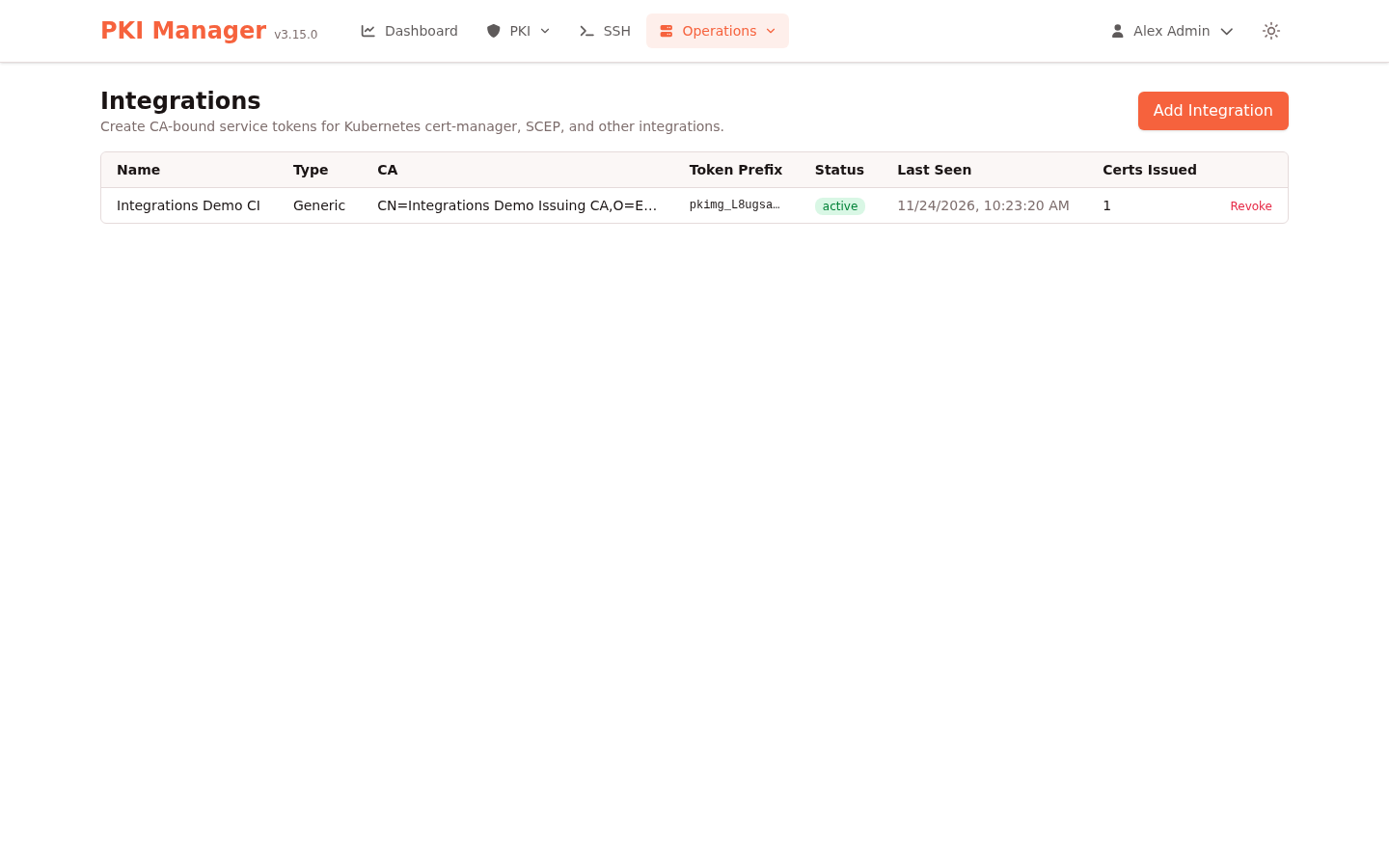
curl -s $B/certificate-status/37226b0f4fc8cedea659d67b1c8b09070abaf653 \ -H "Authorization: Bearer $TOKEN"# {"active":true}The certificate is also in PKI, Certificates. The integration list shows Last Seen
and the Certs Issued counter:
To revoke it from the system that owns it (the CRL of the CA is updated at once):
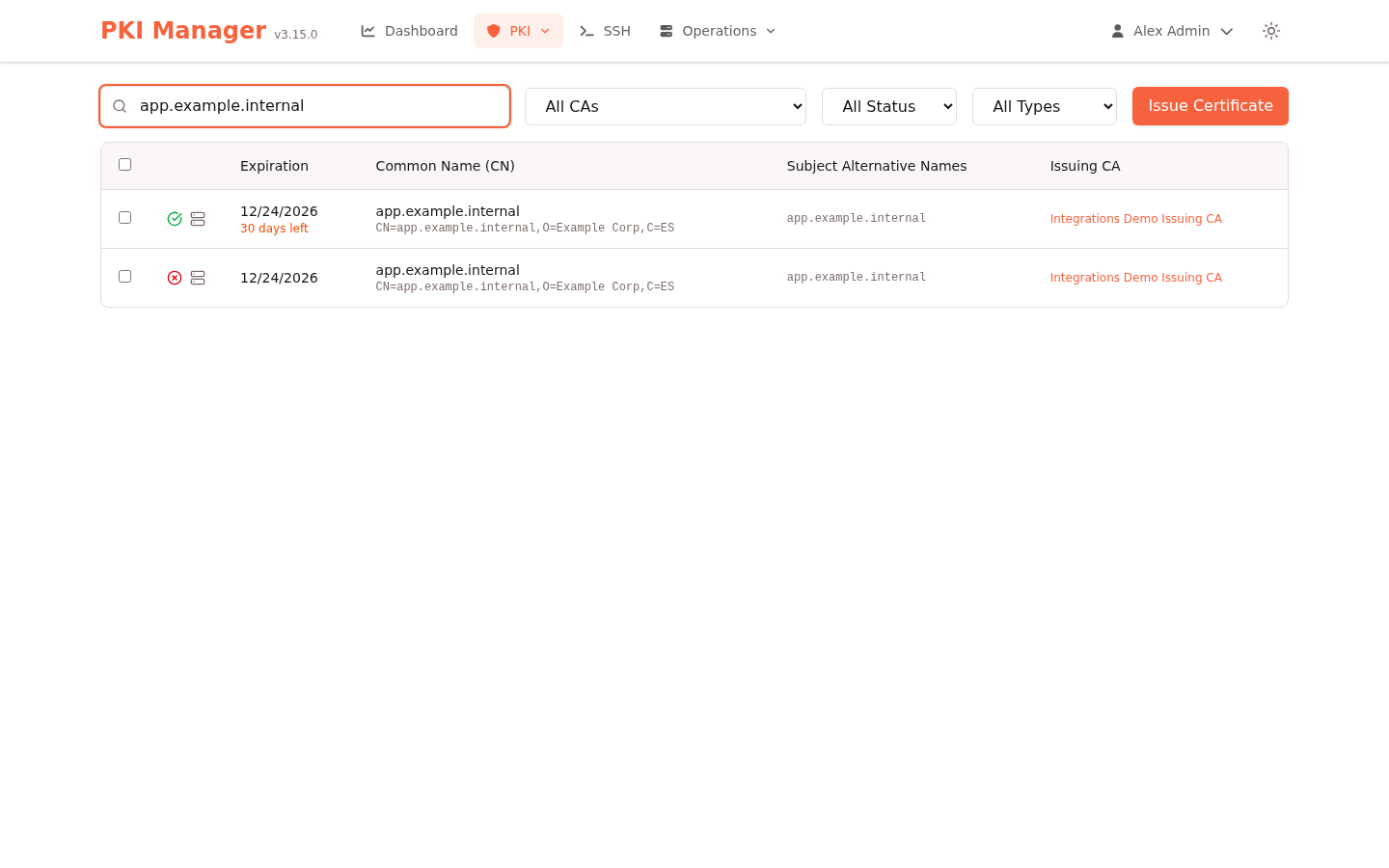
curl -s -X POST $B/revoke -H "Authorization: Bearer $TOKEN" -H 'Content-Type: application/json' \ -d '{"serialNumber":"37226b0f4fc8cedea659d67b1c8b09070abaf653","reason":"superseded"}'# {"id":"e923b222-...","serialNumber":"3722...","status":"revoked","revocationDate":"2026-11-24T09:58:40.853Z"}certificate-status now returns {"active":false}, and the certificate shows as revoked in
the UI:
Doc mismatch found while writing this guide: the API reference says the default revocation
reasoniscessationOfOperation. The backend storesunspecifiedwhen you send no reason (backend/src/rest/routes/external.routes.ts), and any text is accepted. Send an RFC 5280 reason name yourself.
3. See a policy rejection and its audit row
Section titled “3. See a policy rejection and its audit row”The backend checks every CSR before it asks the KMS to sign. Test it with a CSR that asks for a CA certificate:
openssl req -new -newkey rsa:2048 -nodes -keyout evil.key -out evil.csr \  -subj "/CN=evil-ca.example.internal/O=Example Corp/C=ES" \  -addext "basicConstraints=critical,CA:TRUE" -addext "keyUsage=keyCertSign,cRLSign"jq -n --rawfile csr evil.csr '{csrPem:$csr, requestUid:"ci-build-1002"}' > evil.json
curl -s -w '\n[%{http_code}]\n' -X POST $B/sign -H "Authorization: Bearer $TOKEN" \  -H 'Content-Type: application/json' -d @evil.json
{"error":{"code":"CSR_PROFILE_REJECTED","message":"External enrollment cannot request a CA certificate"}}[400]Other rejections that were run, all 400:
| Request | Code | Message |
|---|---|---|
| RSA-1024 key in the CSR | INVALID_CSR |
RSA 2048..8192 is required |
durationDays: 5000 on a generic token |
BAD_REQUEST |
body/durationDays must be <= 825 |
scep token, durationDays: 365 |
INVALID_VALIDITY |
SCEP validity is limited to 90 days |
scep token, CSR with serverAuth EKU |
CSR_PROFILE_REJECTED |
SCEP requires clientAuth-only EKU |
Doc mismatch found while writing this guide: the API reference says
durationDaysis “clamped to 1 to 825”. The request schema rejects a larger value with400before the clamp can apply. Send 825 or less.
Where the rejection is logged
Section titled “Where the rejection is logged”Each rejected request writes an external.reject row in the audit log, with the route, the
HTTP status, and the integration id. It never stores the token or the CSR. The UI has no audit
page in this release, so read it through the API with an admin token:
# $ADMIN is a management token; the demo prints one with: docs/site/demo/demo.sh tokencurl -s -G $API/trpc/audit.list \ --data-urlencode 'input={"operation":"external.reject","limit":3,"offset":0}' \ -H "Authorization: Bearer $ADMIN" | jq -c '.result.data.items[] | [.timestamp, .status, .details]'["2026-11-24T09:58:25.000Z","failure",{"route":"/api/v1/external/sign","statusCode":400,"code":"INVALID_CSR"}]["2026-11-24T09:58:24.000Z","failure",{"route":"/api/v1/external/sign","statusCode":400,"code":"CSR_PROFILE_REJECTED"}]["2026-11-24T09:58:10.000Z","failure",{"route":"/api/v1/external/health","statusCode":401,"code":"UNAUTHORIZED"}]Filter by integration with entityId (the integration id from /health). This shows the whole
life of the identity, in order:
curl -s -G $API/trpc/audit.list \ --data-urlencode 'input={"entityId":"3be26e02-47ad-4b30-ab69-86f9294827f1","limit":20,"offset":0}' \ -H "Authorization: Bearer $ADMIN" | jq -c '.result.data.items[] | [.timestamp, .operation, .status]'["2026-11-24T09:58:25.000Z","external.reject","failure"]["2026-11-24T09:58:24.000Z","external.reject","failure"]["2026-11-24T09:58:02.000Z","integration.register","success"]A successful sign is logged as external.sign on the certificate id (not on the
integration id). It holds requestUid, subjectDn and serialNumber. A revoke through the
API is logged as external.revoke.
4. Rotate and revoke a token
Section titled “4. Rotate and revoke a token”There is no in-place “rotate” button. Rotate in two steps, so the system never has a gap:
- Create a new integration on the same CA (for example
Integrations Demo CI v2) and give its token to the system. - Revoke the old integration.
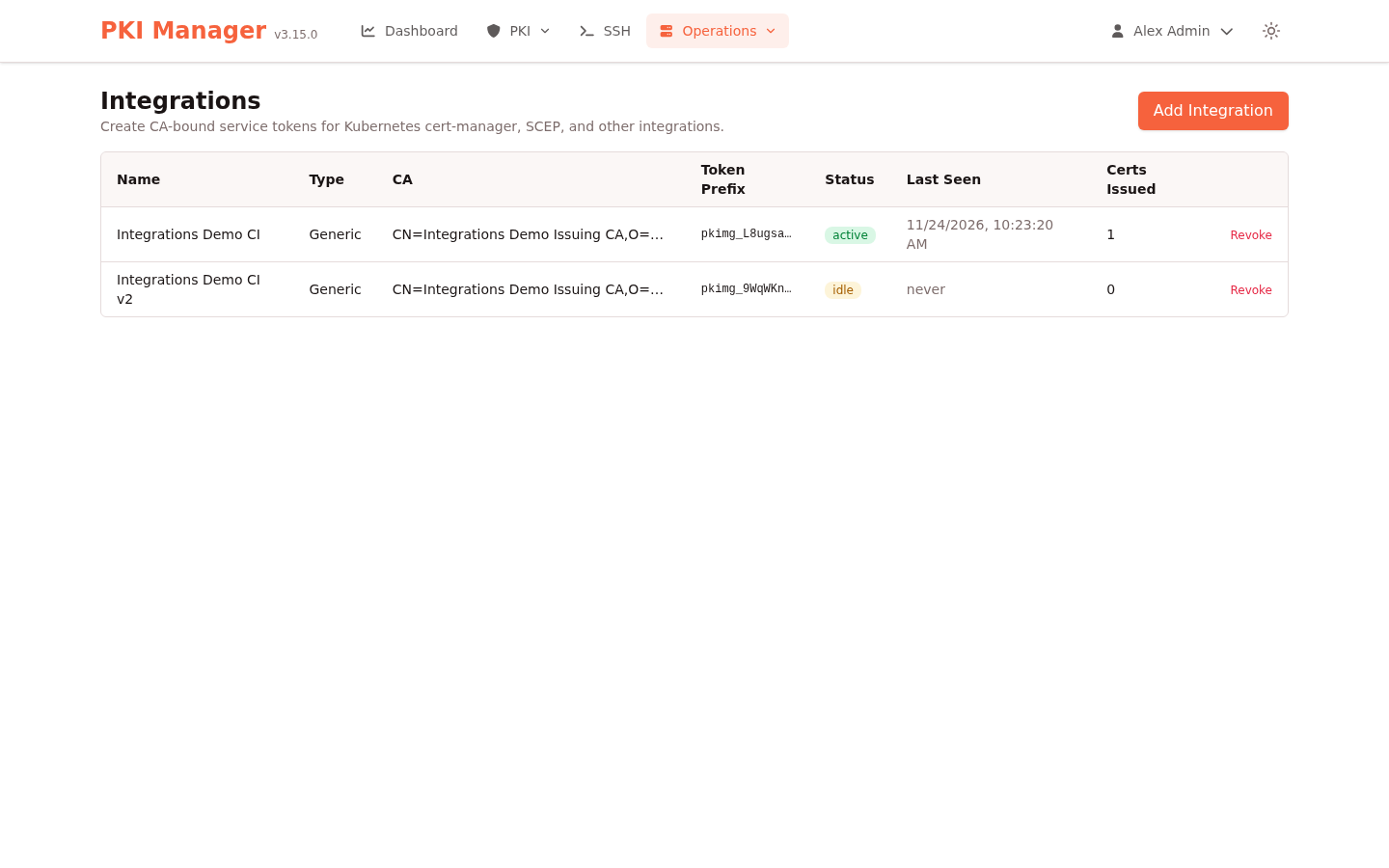
To revoke, select Revoke on the old row and confirm:
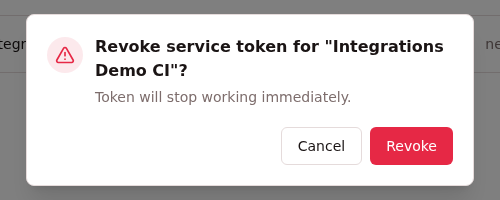

The old token stops at once. The new token works:
curl -s -w ' [%{http_code}]\n' $B/health -H "Authorization: Bearer $OLD_TOKEN"# {"error":{"code":"UNAUTHORIZED","message":"Invalid or revoked service token"}} [401]
curl -s $B/health -H "Authorization: Bearer $NEW_TOKEN" | jq -c .integration.name# "Integrations Demo CI v2"
Facts about revocation:
- It is permanent. A revoked integration cannot be turned on again; create a new one.
- Certificates that the integration already issued stay valid. Revoke them with
POST /revoke, or in the UI, if you need to. - The audit log has an
integration.revokerow. - The same flow exists in tRPC:
integration.registerandintegration.revoke(see the reference).
5. Enroll a device with SCEP
Section titled “5. Enroll a device with SCEP”SCEP lets a device (or an MDM) get a client certificate with no login. The device sends an encrypted request that carries a shared challenge. The gateway (a separate container) speaks SCEP. It calls the backend with a SCEP integration token. The backend owns the registration authority (RA) key in the KMS, so the gateway has no KMS access and no private keys.
device --SCEP--> gateway --HTTPS + integration token--> backend --> KMSWhat was run, and what was not:
| Item | Status |
|---|---|
| SCEP integration in the UI | run |
Gateway from the published image ghcr.io/oriolrius/pki-manager-web/scep:3.15.0 |
run |
| RA provisioned by the backend on first start | run |
GetCACaps, GetCACert |
run |
| One device enrollment, certificate checked with OpenSSL | run |
| Wrong challenge rejected | run |
| HTTPS in front of the gateway, rate limiting | not run (see the README) |
| Intune and webhook (MDM) modes, renewal, a real phone or laptop | not run (need a tenant or a device) |
5.1 Create the SCEP integration
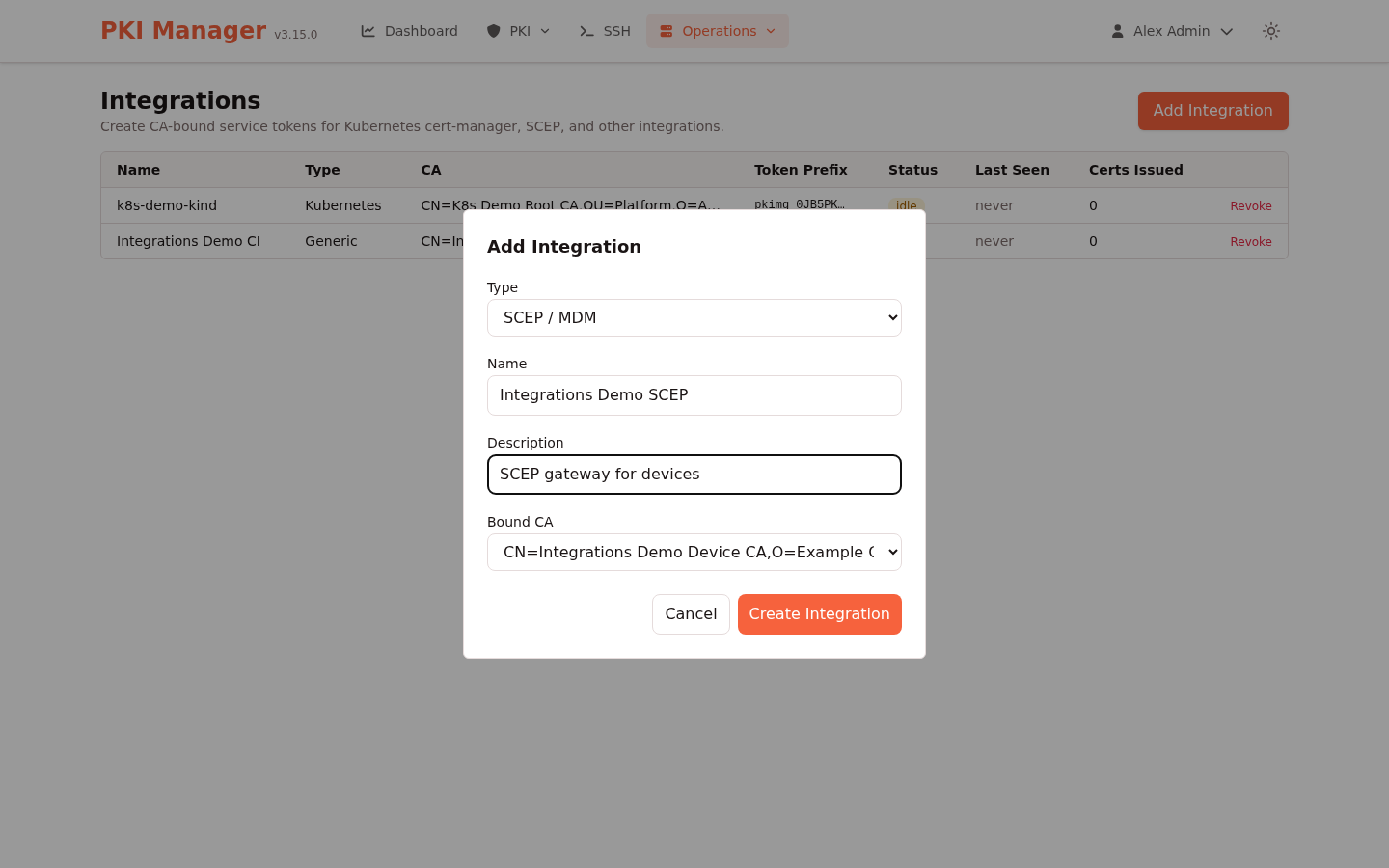
Section titled “5.1 Create the SCEP integration”Same form as in part 1, with Type SCEP / MDM and a CA used only for devices. Use a
dedicated CA: anyone with the challenge can choose the certificate CN.
5.2 Give the gateway its two secrets
Section titled “5.2 Give the gateway its two secrets”The gateway reads two files: the integration token and the device challenge. A challenge has 32 to 256 bytes.
mkdir secretsprintf '%s' "$SCEP_TOKEN" > secrets/backend-token # the token from step 5.1openssl rand -hex 32 > secrets/challenge # 64 characterschmod 755 secrets && chmod 644 secrets/* # the container runs as uid 10001Give the challenge to devices (or to the MDM profile). Never give them the integration token.
5.3 Start the gateway
Section titled “5.3 Start the gateway”The gateway accepts a plain http:// backend URL only on loopback. Otherwise it needs
https:// (a real deployment uses the HTTPS address of your reverse proxy). The demo has one
Docker network and no TLS, so the overlay docs/site/demo/compose.scep-demo.yml puts a small
socat container in front: the gateway shares its network, and 127.0.0.1:3000 there
forwards to the backend. It is a separate Compose project, so it only adds containers.
export SCEP_DEMO_SECRETS=$PWD/secretsdocker compose -p pki-demo-scep -f docs/site/demo/compose.scep-demo.yml up -dFor a real stack, use docker/docker-compose.scep.yml or scep/compose.yml and set
SCEP_BACKEND_URL to your HTTPS backend URL; see the
SCEP README. The gateway
logs one line when it is ready:
{"level":"INFO","msg":"scep listening","address":":8085"}On first start the gateway asks the backend to provision the RA. Check it:
curl -s "http://localhost:47385/scep?operation=GetCACaps"POSTPKIOperationSHA-256AESRenewalcurl -s "http://localhost:47385/scep?operation=GetCACert" -o cacert.deropenssl pkcs7 -inform DER -in cacert.der -print_certs -noout | grep -E 'subject|issuer'subject=CN = SCEP Registration Authorityissuer=CN = Integrations Demo Device CA, C = ES, O = Example Corpsubject=CN = Integrations Demo Device CA, C = ES, O = Example Corpissuer=CN = Integrations Demo Device CA, C = ES, O = Example CorpThe RA certificate is signed by the device CA, and it appears in the CA’s certificate list. The integration list now shows the SCEP integration as active:
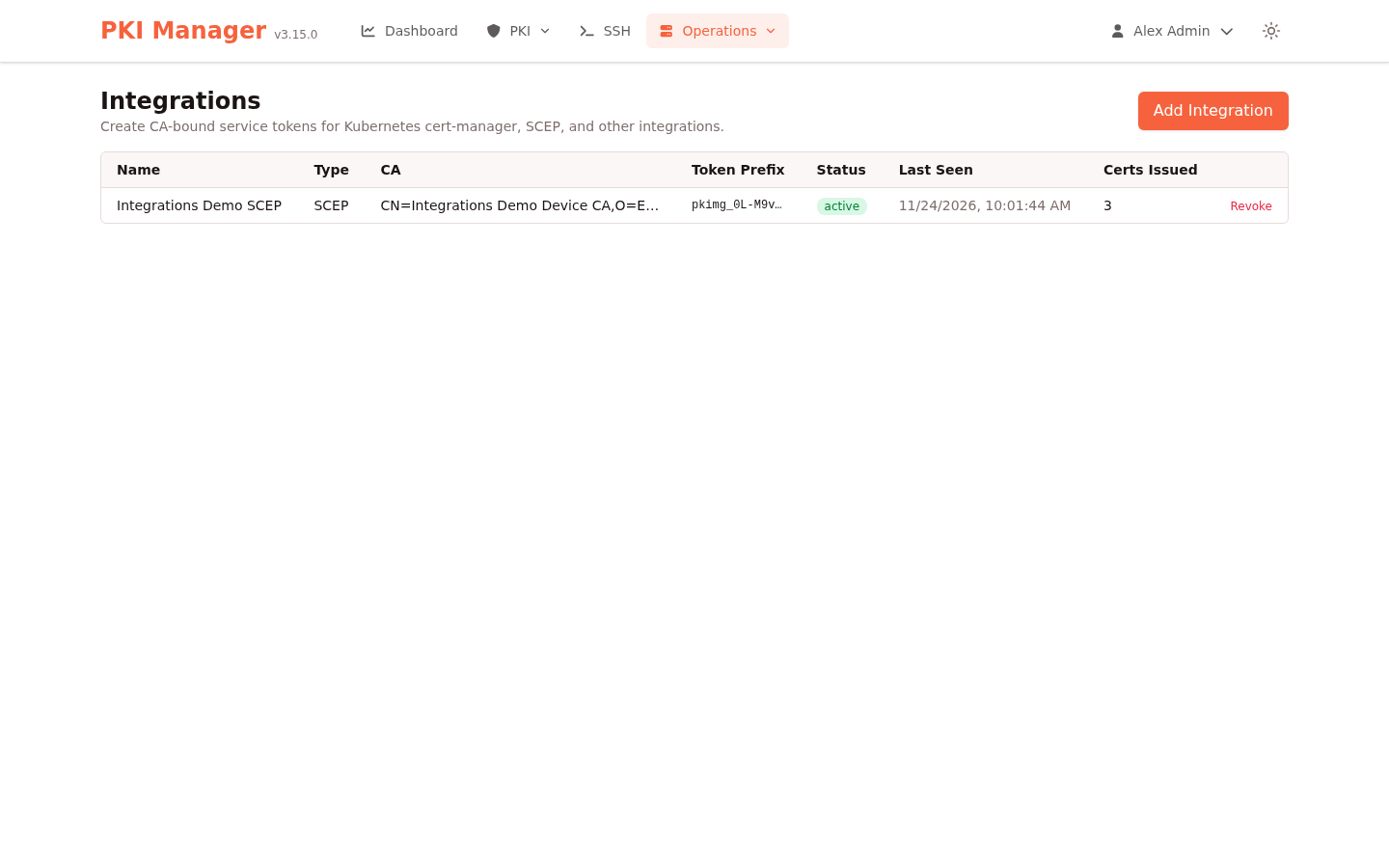
5.4 Enroll one device
Section titled “5.4 Enroll one device”The gateway needs a client that sends an AES-encrypted request and a CSR with the
clientAuth EKU. These clients were tried:
| Client | Result |
|---|---|
micromdm scepclient v2.3.0 (released binary) |
Not verified end to end. It POSTs with Content-Type: application/octet-stream. The gateway accepts this type (besides application/x-pki-message). In an earlier test, the gateway then answered 400 invalid SCEP message. Its CSR has no extensions, so it cannot send the required clientAuth EKU. |
The project test TestLiveEnrollment in scep/live_test.go (Go, Smallstep SCEP library) |
Works. |
Use the project test as a reference client. It needs Go and a clone of this repository. It generates a key, builds the CSR with the challenge, sends the request, decrypts the answer, checks that the certificate is signed by the CA and is not a CA, and sends the request a second time to check that no second certificate is issued:
cd scepSCEP_TEST_SERVER_URL=http://localhost:47385/scep \SCEP_TEST_CHALLENGE_FILE=../secrets/challenge \go test -run TestLiveEnrollment -v -count=1 .=== RUN TestLiveEnrollment live_test.go:97: live SCEP discovery, KMS RA signature/decryption, backend issuance and idempotent retry verified--- PASS: TestLiveEnrollment (0.62s)PASSThe gateway log shows the issued serial, and the same serial again for the retry:
{"level":"INFO","msg":"scep.enroll","status":"success","serial":"3faea358180744c6502edb5da55706f84c2c48dd"}{"level":"INFO","msg":"scep.enroll","status":"success","serial":"3faea358180744c6502edb5da55706f84c2c48dd"}Note: the test makes the device certificate with
CN=device-1. It stays in the CA as a real certificate. Use an isolated CA, as the README says.
5.5 Verify the device certificate
Section titled “5.5 Verify the device certificate”The test does not save the certificate, so fetch it from PKI Manager. In the UI, open PKI, Certificates and filter by the device CA:
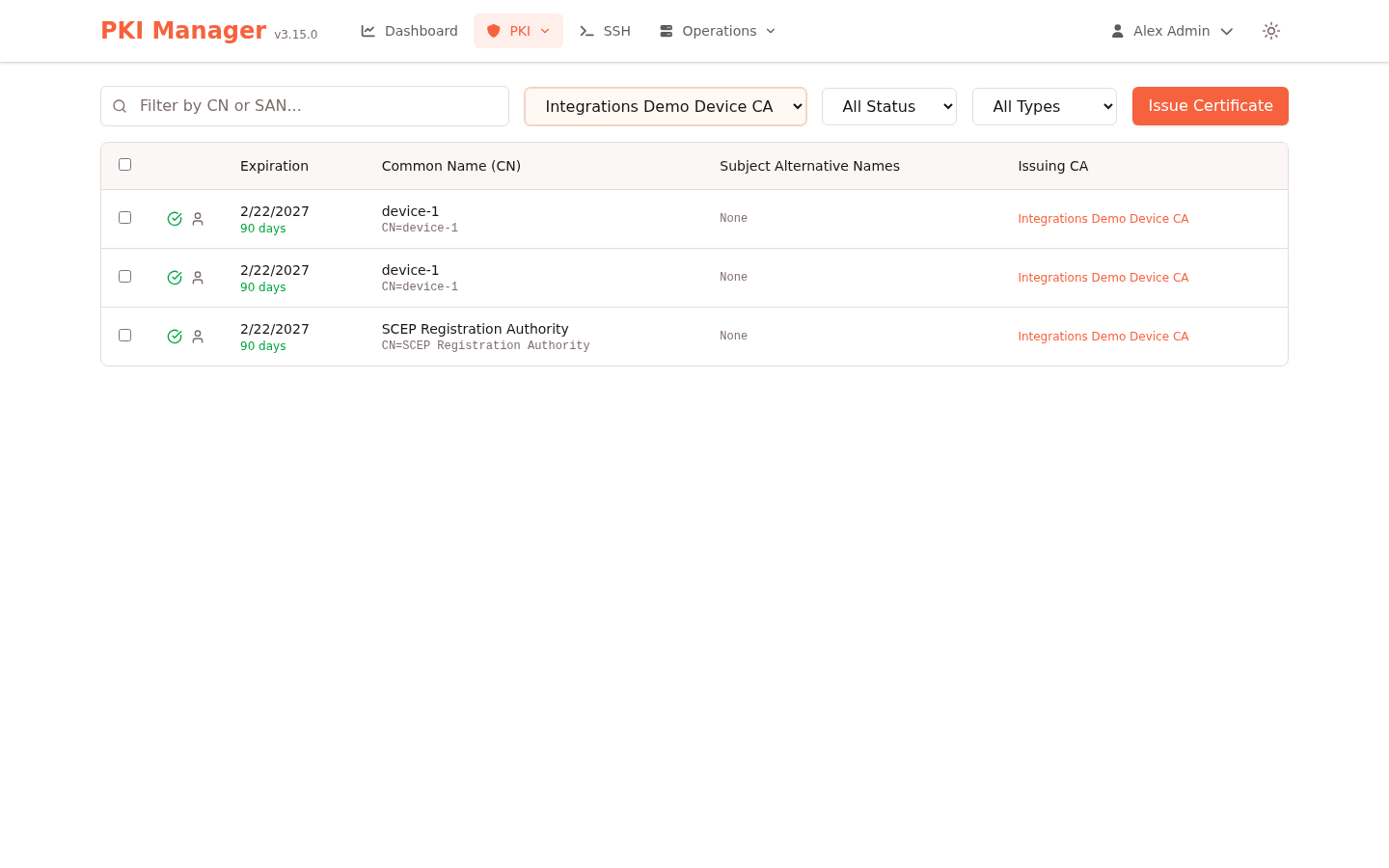
Or use the API ($ADMIN is a management token; format=pem returns base64 in a JSON field):
CERT_ID=$(curl -s "$API/api/v1/certificates?limit=100" -H "Authorization: Bearer $ADMIN" \  | jq -r '.items[] | select(.serialNumber=="3faea358180744c6502edb5da55706f84c2c48dd") | .id')curl -s "$API/api/v1/certificates/$CERT_ID/download?format=pem" -H "Authorization: Bearer $ADMIN" \  | jq -r .data | base64 -d > device.crtcurl -s $B/ca-bundle -H "Authorization: Bearer $SCEP_TOKEN" | jq -r .certificatePem > device-ca.pem
openssl verify -CAfile device-ca.pem device.crtopenssl x509 -in device.crt -noout -subject -issuer -dates -ext extendedKeyUsage,basicConstraints
device.crt: OKsubject=CN = device-1issuer=CN = Integrations Demo Device CA, C = ES, O = Example CorpnotBefore=Nov 24 10:01:21 2026 GMTnotAfter=Feb 22 10:01:21 2027 GMTX509v3 Extended Key Usage: TLS Web Client AuthenticationX509v3 Basic Constraints: critical CA:FALSEThe device certificate is a client certificate (clientAuth only, CA:FALSE), valid 90
days.
5.6 What the gateway refuses
Section titled “5.6 What the gateway refuses”A wrong challenge is rejected and no certificate is issued. The test fails with
enrollment rejected, and the gateway log says why:
{"level":"WARN","msg":"scep.enroll","status":"rejected","reason":"challenge"}The same policy applies if you call the backend directly with the SCEP token (see the table
in part 3): validity above 90 days gives INVALID_VALIDITY, and a non-clientAuth CSR gives
CSR_PROFILE_REJECTED. The SCEP integration also writes scep.ra.provision,
scep.ra.sign and scep.ra.decrypt rows in the audit log, found with the same entityId
filter as in part 3.
In shared mode the gateway accepts a CN only. SANs and a different O, OU or C are refused. Use the MDM modes when you need SANs: Intune setup.
5.7 Stop the demo gateway
Section titled “5.7 Stop the demo gateway”docker compose -p pki-demo-scep -f docs/site/demo/compose.scep-demo.yml down -vThen revoke the SCEP integration in the UI, as in part 4, if you do not need it.